Many printer stands look spacious in photos but turn out too small once you set your machine on them. The top shelf is often narrower than the overall footprint, leaving your printer overhanging or wobbling. That mismatch is the most common reason buyers end up disappointed.
Weight ratings matter just as much. A stand that lists a 38-pound capacity may feel stable with a lightweight inkjet, but a heavy laser printer can cause plastic frames to flex or collapse over time. The rugged steel-reinforced models in this guide hold up to 99 pounds without shifting.
We focused on stands that deliver accurate size specs, clear weight limits, and storage that actually works for supplies. Whether you need a rolling cart, a desktop riser, or a vertical tower, these picks match your printer's real footprint and your daily use.
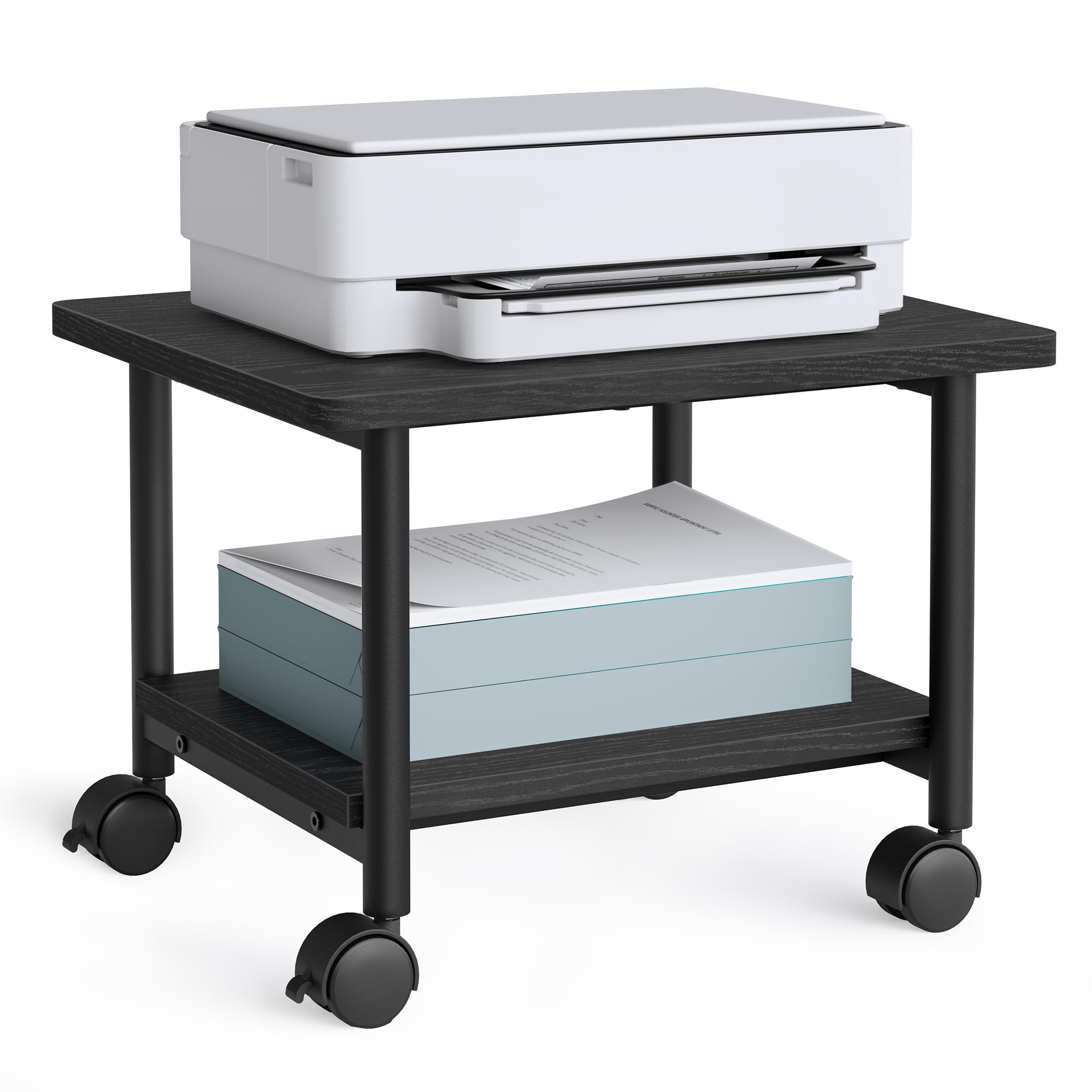
9.2/10 Outstanding
- Storage: Open bottom shelf
- Material: Particleboard + Steel
- Mobility: Lockable wheels
- Dimensions: 18.9x15.7x13.4 in
Check Price on Amazon
Pros
- Steel-reinforced frame supports heavy printers without wobble
- Tool-free assembly takes under 30 minutes
- Budget-friendly price that doesn’t cut corners on sturdiness
Cons
- Bottom shelf weight limit of 33 lb may not accommodate a heavy shredder or large paper stacks
The VASAGLE printer stand uses a steel-reinforced particleboard frame that supports up to 99 pounds on the top shelf, enough for large office printers. Assembly is simple with parts that fit together well, and the cart feels solid once put together.
On lockable wheels, this cart stays put on hard floors and rolls smoothly when unlocked. The open bottom shelf holds reams of paper, though the 33 lb weight limit means it's best for supplies rather than a second heavy device.
This cart is designed for buyers who value sturdiness over enclosed storage — the open bottom shelf holds paper, but there is no drawer or closed compartment for hiding supplies. It fits most home offices with heavy printers and a preference for open shelving. If you need drawer space for ink or cables, consider a model with built-in bins instead.
Bottom Line: Buy this if you want a rock-solid printer cart under $30 and open storage is fine. Drawer seekers should choose a model with enclosed compartments.
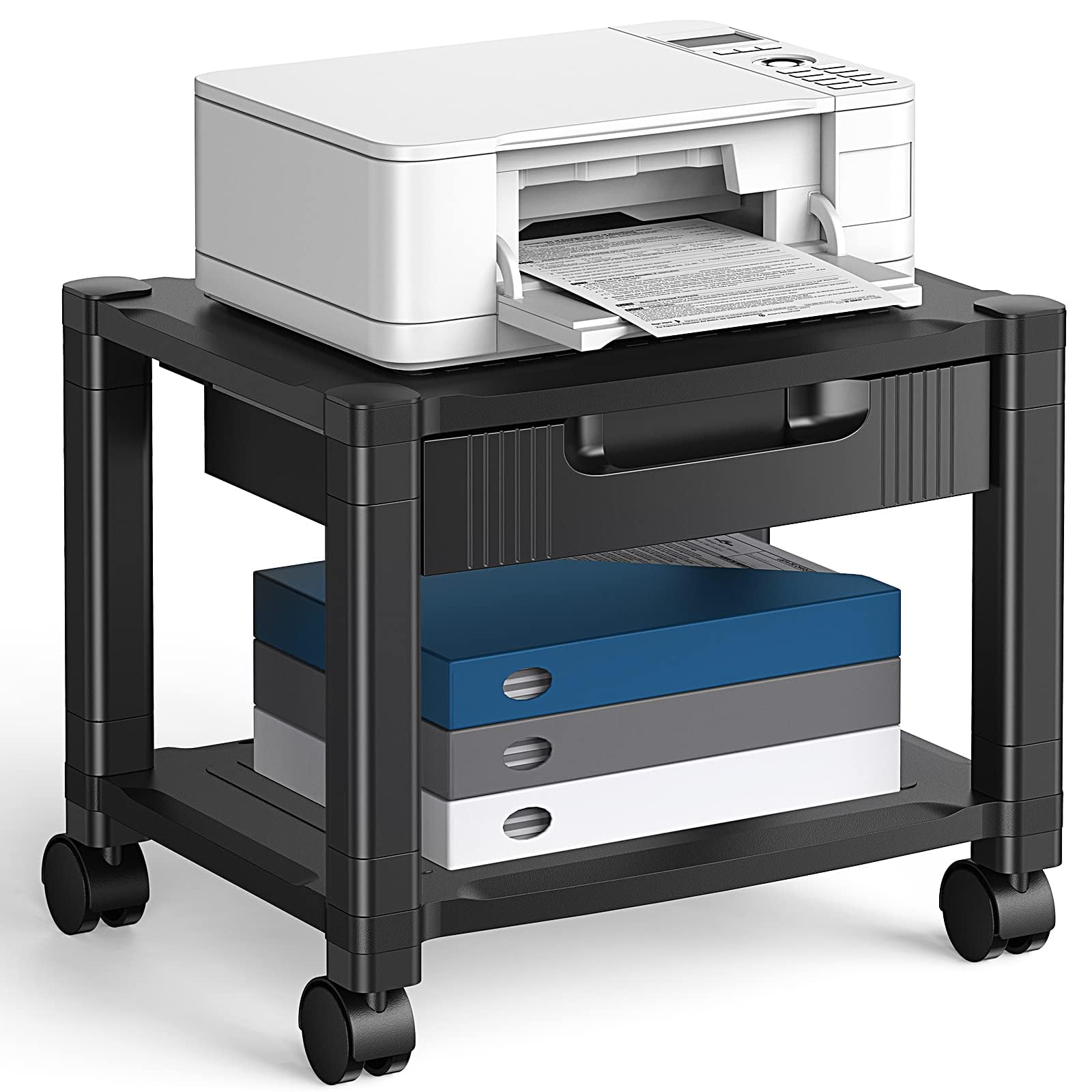
8.9/10 Excellent
- Storage: Drawer + bottom shelf
- Material: Plastic
- Mobility: Locking wheels
- Dimensions: 17.1x13.2x13.2 in
Check Price on Amazon
Pros
- Tool-free assembly gets the stand ready in minutes.
- Lockable casters allow easy movement and under-desk storage.
- Good value for the price, especially with a built-in drawer.
Cons
- Plastic construction may wobble when loaded near the 38.5 lb capacity.
The HUANUO printer stand adds a storage drawer to a rolling cart at a price well under most competitors. Assembly requires no tools, and the lockable casters make it simple to tuck under a desk or pull out when you need to refill paper. The drawer includes dividers for organizing supplies, and the bottom shelf offers extra open storage.
This stand fits budget-conscious buyers who own a small to medium inkjet and want a drawer for cartridges and documents plus the ability to move the cart easily. The plastic frame may feel unsteady if you place a printer near the 38 lb weight limit, so it's best to keep loads moderate. For heavier printers or a sturdier long-term setup, the steel-reinforced top pick is a more stable alternative.
💡 Tip: Keep the printer weight below 30 lbs to avoid wobble; a heavier load on the bottom shelf instead of the top also improves stability.
Bottom Line: If your printer is under 30 lbs and you need a drawer plus rolling capability without spending much, this is a solid option — just don't push it to its weight limit.

9.3/10 Outstanding
- Storage: 3 compartments
- Material: Wood
- Mobility: Tabletop
- Dimensions: 18.9x15.7x8.7 in
Check Price on Amazon
Pros
- Sturdy wood build supports printers up to 90 lbs on the top shelf.
- Three letter-paper compartments keep supplies organized within arm's reach.
- Quick assembly with labeled parts
Cons
- No wheels
- Paper compartments fit letter-size tightly; full stacks may cause curling.
FITUEYES focuses on tidy desktop printer setups with three letter-sized storage compartments integrated into the riser base. The wood construction is noticeably thicker than the similar alternative with the same compartment layout, and weight capacities are clearly stated: 90 lbs on top, 22 lbs per lower shelf. Assembly is quick with straightforward instructions.
This stand suits home offices or small workspaces where the printer sits on the desk and you want paper organized close by. The tabletop-only design means it won't roll under a desk – place it on a sturdy surface and leave it. However, the compartments hold paper snugly; occasional curling may occur, especially with full stacks.
💡 Tip: Store paper with the open side facing up or in partial stacks to reduce curling from tight compartments.
Bottom Line: If you need a stationary desktop riser with dedicated paper slots, FITUEYES delivers on organization and stability – the snug fit is a minor compromise for a neat, dedicated spot.

9.4/10 Outstanding
- Storage: 3 shelves, adjustable middle
- Material: Particleboard + Steel
- Mobility: Lockable wheels or feet
- Dimensions: 23.6x18.9x30 in
Check Price on Amazon
Pros
- 100 lb per shelf supports heavy printers and 3D printers without sagging
- Adjustable middle shelf accommodates tall or oddly shaped equipment
- Easy to assemble with printed instructions and labeled parts
Cons
- Wheels may roll poorly on carpet and feel cheap compared to the frame
- Large footprint (23.6x18.9 inches) requires generous floor space
The Fannova 3-Tier stand delivers 100 lb of weight capacity on each of its three shelves, with a middle shelf that adjusts to fit tall printers, scanners, or 3D printers. The particleboard-and-steel frame feels solid under heavy gear, and assembly is quick thanks to clear instructions. This is the stand to consider when your office hardware exceeds the limits of budget options.
This cart works best in larger home offices or workshops where floor space isn't tight. The 23.6x18.9x30 inch footprint and open shelving provide ample room for multiple devices and supplies, but there are no drawers or enclosed compartments for hiding clutter. The four lockable wheels let you roll the stand around, though some users have noted the wheels can drag on carpet and feel less premium than the rest of the build. For buyers who need a stationary setup, the included feet offer an alternative.
💡 Tip: Swap the wheels for locking casters of your own if carpet rolling becomes an issue.
Bottom Line: If your priority is supporting heavy equipment with flexible shelf placement, this Fannova delivers — just be ready for open storage and wheels that prefer hard floors.

9.4/10 Outstanding
- Storage: 4 adjustable shelves
- Material: Particleboard + Steel
- Mobility: Wheels or feet
- Dimensions: 20.87x15.75x44.49 in
Check Price on Amazon
Pros
- Very sturdy and stable construction supports multiple devices without wobbling.
- Space-saving vertical design uses height rather than floor area to store equipment.
- Easy assembly with clear instructions and all hardware included.
Cons
- The 44-inch height can be a problem under low cabinets or desks.
The Fannova 4-Tier Printer Stand uses a tall, narrow frame to maximize vertical storage while keeping a small footprint on the floor. Unlike bulkier carts, this stand fits into tight corners and alongside desks without eating up valuable square footage. Each of the four shelves can be repositioned to accommodate different equipment heights, from a standard printer to a slim scanner or extra paper reams.
This is suited for home offices that need a compact home for multiple devices or a single tall printer. The 44-inch height provides plenty of shelf space, but it may not fit under low cabinets or desks – check your ceiling clearance before buying. For buyers who prioritize a drawer or enclosed storage, the open-shelf design keeps items visible but exposed to dust.
💡 Tip: Use the included feet instead of wheels for extra stability on carpet; the casters are better suited for hard floors.
Bottom Line: A smart choice for offices with limited floor space and a need for tall shelving – just measure your vertical clearance first.

8.8/10 Excellent
- Storage: Fabric drawer + bottom shelf
- Material: Metal + MDF
- Mobility: Lockable wheels or feet
- Dimensions: 22.05x14.96x15.75 in
Check Price on Amazon
Pros
- Easy to assemble with basic tools
- Drawer and wheels provide practical storage and mobility at a budget price
- Open bottom shelf adds extra storage space
Cons
- Build quality can vary between units; some may feel less sturdy
- Top dimensions may be smaller than expected for larger printer models
The YAOHUOO rolling stand combines a fabric drawer with lockable casters at the lowest price in this roundup — no other budget model offers both features together. Assembly requires only basic tools, and the included wheels lock securely for placement stability. The open bottom shelf adds extra storage for paper or supplies, while the fabric drawer keeps cords and accessories organized. Unlike the sturdier VASAGLE cart, this YAOHUOO trades some rigidity for the convenience of a built-in drawer at a lower cost.
This stand suits small to medium printers and anyone who prioritizes a drawer for supplies over heavy-duty construction. However, the drawer is fabric (not solid), and some units may feel flimsy under heavier loads. The 22x15 inch top may not accommodate larger printers, so checking dimensions beforehand is wise. At its price point, the drawer-and-wheels combination is a strong value for budget-conscious buyers who need mobile storage with a tidy compartment.
💡 Tip: Measure your printer's depth and width against the 22x15 inch top before ordering — smaller printers fit best.
Bottom Line: A cost-effective choice if you need a drawer and wheels on a tight budget, but verify printer size and be prepared for possible build quality variance.

9.4/10 Outstanding
- Storage: 3 compartments
- Material: Melamine Faced Board
- Mobility: Tabletop
- Dimensions: 20x15x9 in
Check Price on Amazon
Pros
- Retro brown wood finish adds visual warmth to any desktop.
- Three compartments keep paper and supplies neatly separated.
Cons
- Weight capacity not specified
The PAG Desktop Wood Stand presents a good-looking melamine board with retro brown finish and three compartments for paper organization. Weight capacity is not specified, so it handles light to medium printers best. FITUEYES offers a similar design with more storage space at a comparable price, making PAG a secondary choice for those who prioritize aesthetics over maximum capacity.
Bottom Line: Best for light to medium printers on a desktop where looks matter more than raw storage capacity.

8.8/10 Excellent
- Storage: 3 open shelves
- Material: Engineered Wood + Iron
- Mobility: Wheels or feet
- Dimensions: 16.5x11x25.2 in
Check Price on Amazon
Pros
- Built-in power outlets and USB ports add convenience for small electronics.
- Easy to assemble with minimal tools required.
Cons
- Top shelf only 11x16.5 inches
This HOOBRO cart integrates two USB ports and an AC outlet into its frame, making it convenient for powering a small printer or charging devices. However, the top shelf measures only 11x16.5 inches, which rules out most standard printers — it suits compact models or lightweight equipment instead.
Bottom Line: Best for very small printers or lightweight items that need the extra power ports, but skip it if you have a standard-sized printer.

9.3/10 Outstanding
- Storage: Fabric drawer + open shelf
- Material: MDF + Metal
- Mobility: Tabletop
- Dimensions: 17.3x11.8x15.7 in
Check Price on Amazon
Pros
- Space-saving design fits tight desktop areas
- Fabric drawer provides hidden storage for small office supplies
Cons
- Fabric drawer may lose shape under heavy or frequent use
- Weight capacity is limited to lightweight printers only
The YAOHUOO 2-Tier Desktop Printer Stand fits neatly on small desks with its 17x12 inch footprint and adds a fabric drawer for storing supplies like paper or ink. The open shelf below offers extra room, and assembly is quick. However, the 44 lb weight capacity means this stand works best with lightweight printers, and the fabric drawer may not hold up to heavy items like staplers or stacks of paper over time. For home offices that prioritize a tidy desk and have a compact printer, this is a practical low-cost solution.
Bottom Line: A good match for small home offices with a lightweight printer and a need for drawer storage, but not for heavy-duty setups.
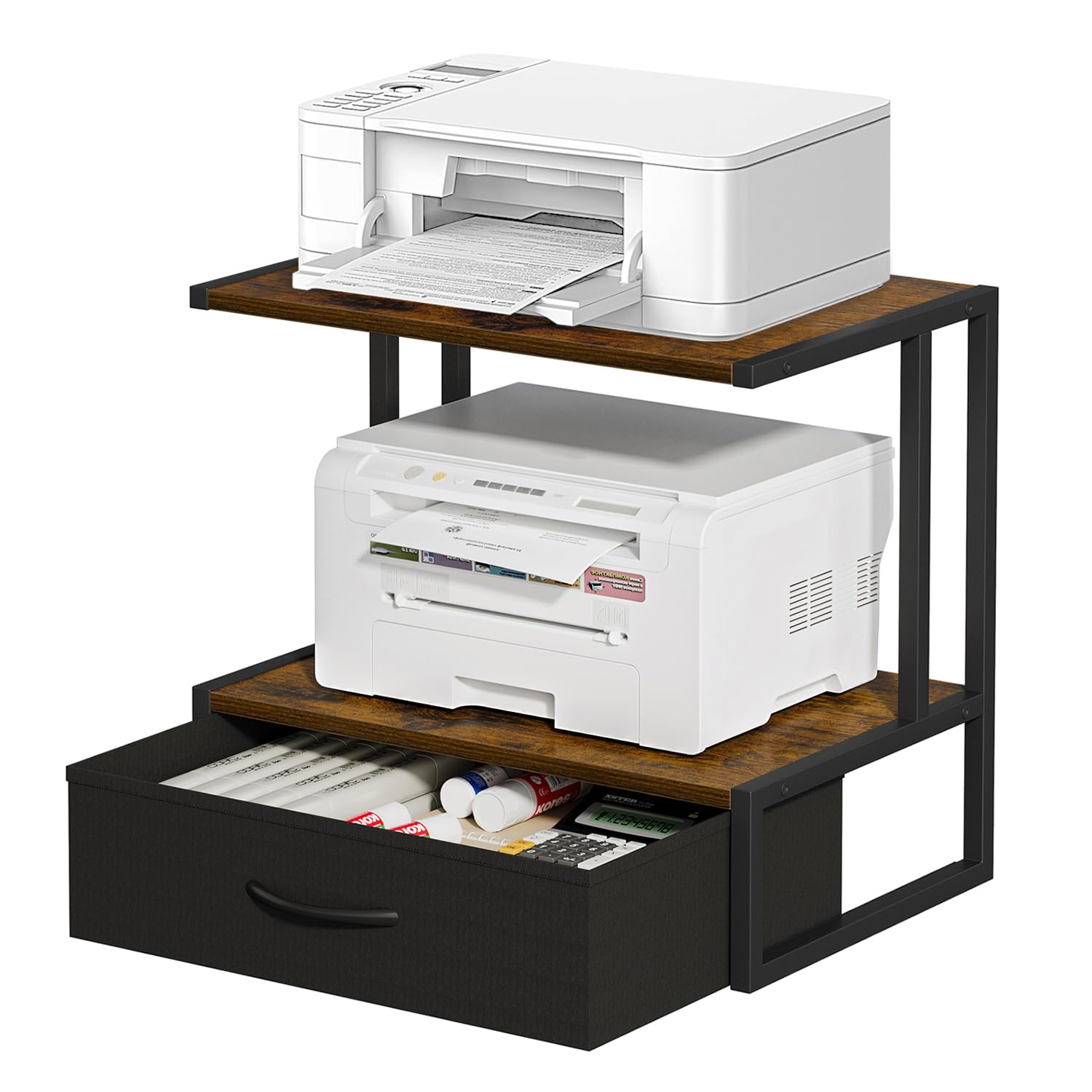
9.1/10 Outstanding
- Storage: 2 shelves + fabric drawer
- Material: Metal + Particleboard
- Mobility: Tabletop
- Dimensions: 17.02x11.8x15.6 in
Check Price on Amazon
Pros
- Two shelves plus a fabric drawer at a budget price
- Assembly is straightforward with clear instructions
Cons
- Weight capacity is not listed, so heavier printers may be risky
- Fabric drawer works for light items but may sag with heavier office supplies
The VYUOL stand hits the lowest price point for a desktop printer stand with a fabric drawer and two storage shelves. Assembly reports are positive and the particleboard frame feels solid for its compact size. The tradeoff is that the manufacturer does not list a weight limit, so this stand is best reserved for lightweight inkjets or small office accessories. The fabric drawer works for pens, paper, or cables but may not hold heavier items without sagging over time.
Bottom Line: Best for a light inkjet printer on a small desk where every dollar counts — skip this if your printer weighs more than a stack of paper.