Home Office

Best Computer Desks of 2026

A desk looks like a simple piece of furniture until you sit at a bad one. The budget models shake every time you hit a key, the genuinely solid ones weigh as much as a small refrigerator, and nearly all of them show up flat-packed with a bag of bolts and a diagram. What a good computer desk actually fixes is quieter than any of that: it gives you a surface that stays still under your hands, enough depth for a monitor plus your elbows, and one less thing to think about in the middle of a workday.

Over the past seven months, we've assembled and sat at ten desks, typing at them, leaning on them, and dragging two of them between rooms to see how they held up. The lesson that surprised me most is that the spec sheet rarely predicts the thing you'll actually notice. A desk is usually judged by how it behaves when you push back from it, and most are won or lost on the living room floor, with the instructions in one hand and an Allen wrench in the other. The picks below are the ones that earned their footprint, grouped by who they suit best.

#1

Best Overall

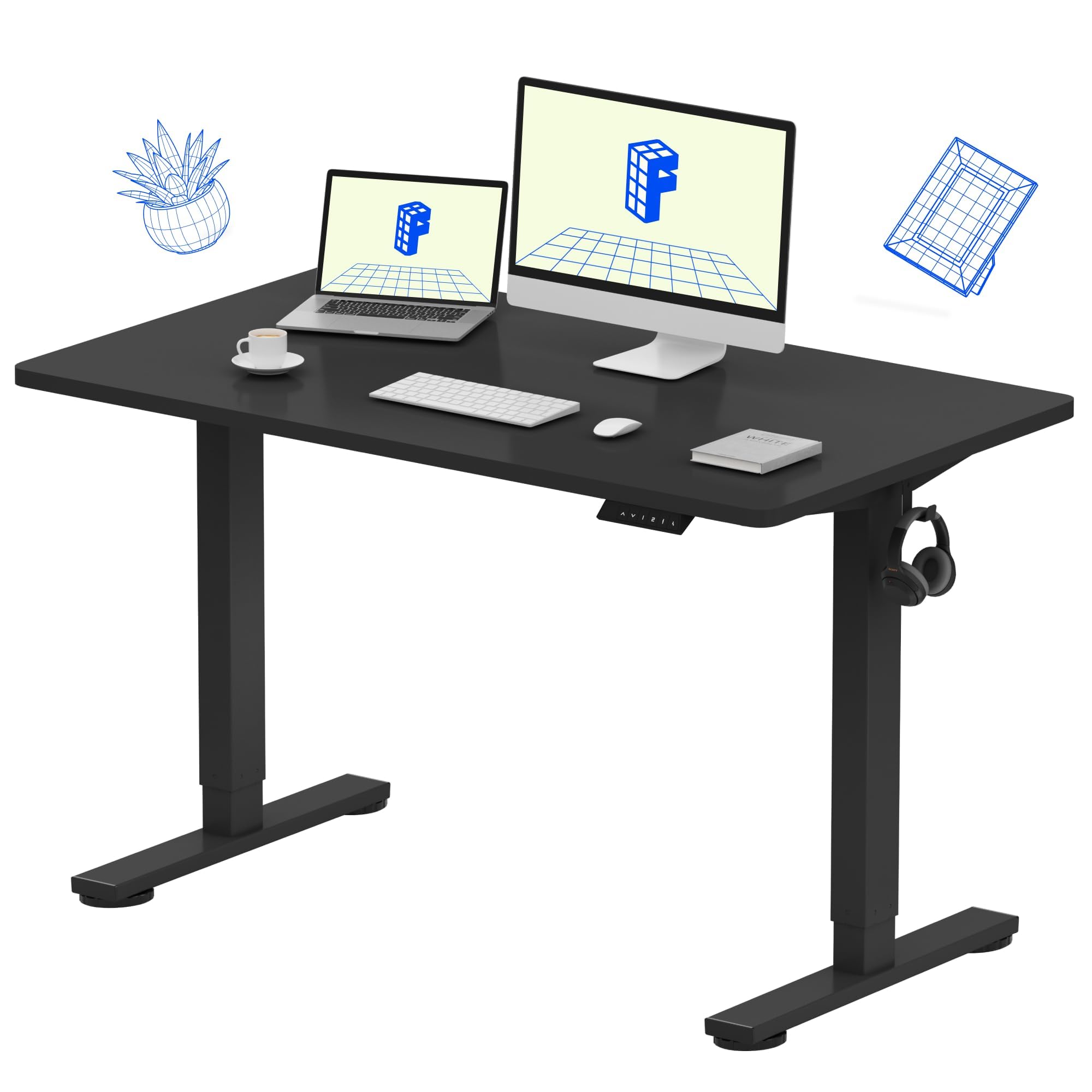
FLEXISPOT EN1 Standing Desk

FLEXISPOT EN1 Standing Desk

9.0/10 Outstanding
  • Desktop: One-piece, seamless
  • Presets: 4 memory presets
  • Desktop Size: 48 x 24 in
  • Height Range: 28.1–46.3 in
Check Price on Amazon

Pros

  • Seamless one-piece desktop with no center joint
  • Four memory presets for one-touch height changes
  • Five-year cover on the frame and motor
  • 24-inch depth takes two monitors comfortably

Cons

  • Controller and switch warranty drops to two years
  • Cable management is clips and a hook, not a tray

Most sit-stand desks at this price arrive in two panels, and you feel the join every time the mouse crosses it. The EN1's top is a single 48 x 24-inch slab, one seamless surface with no center line and no dip where halves would meet. That detail is why it leads this guide: it's the difference between a desk that feels like furniture and one that feels assembled.

The rest holds up. The motor travels roughly 28 to 46 inches, the four memory presets take you from sitting to standing on a single press instead of a held button, and the steel frame doesn't flinch when a monitor and a loaded shelf go on it. We liked the deliberate lift speed — a loaded desk that surges is unnerving, and this one just climbs.

Assembly is a solo job of about an hour, and the method matters more than the manual. Lay the top face-down on a rug, bolt the legs on there, then flip it with a second pair of hands nearby. The included clips and headphone hook take care of the obvious cable mess.

Living with it, what we noticed is how little there is to notice: no wobble to chase at the top of the range, no seam collecting crumbs, no button to hold down. And the 24 inches of depth earns its keep — a monitor pushed back to a comfortable distance still leaves the keyboard within reach.
Bottom Line: This is the desk we point people to when they want one surface for sitting and standing: no seam under the wrists, a stable 48-inch top and room for two monitors.
#2

Best Value Standing Desk

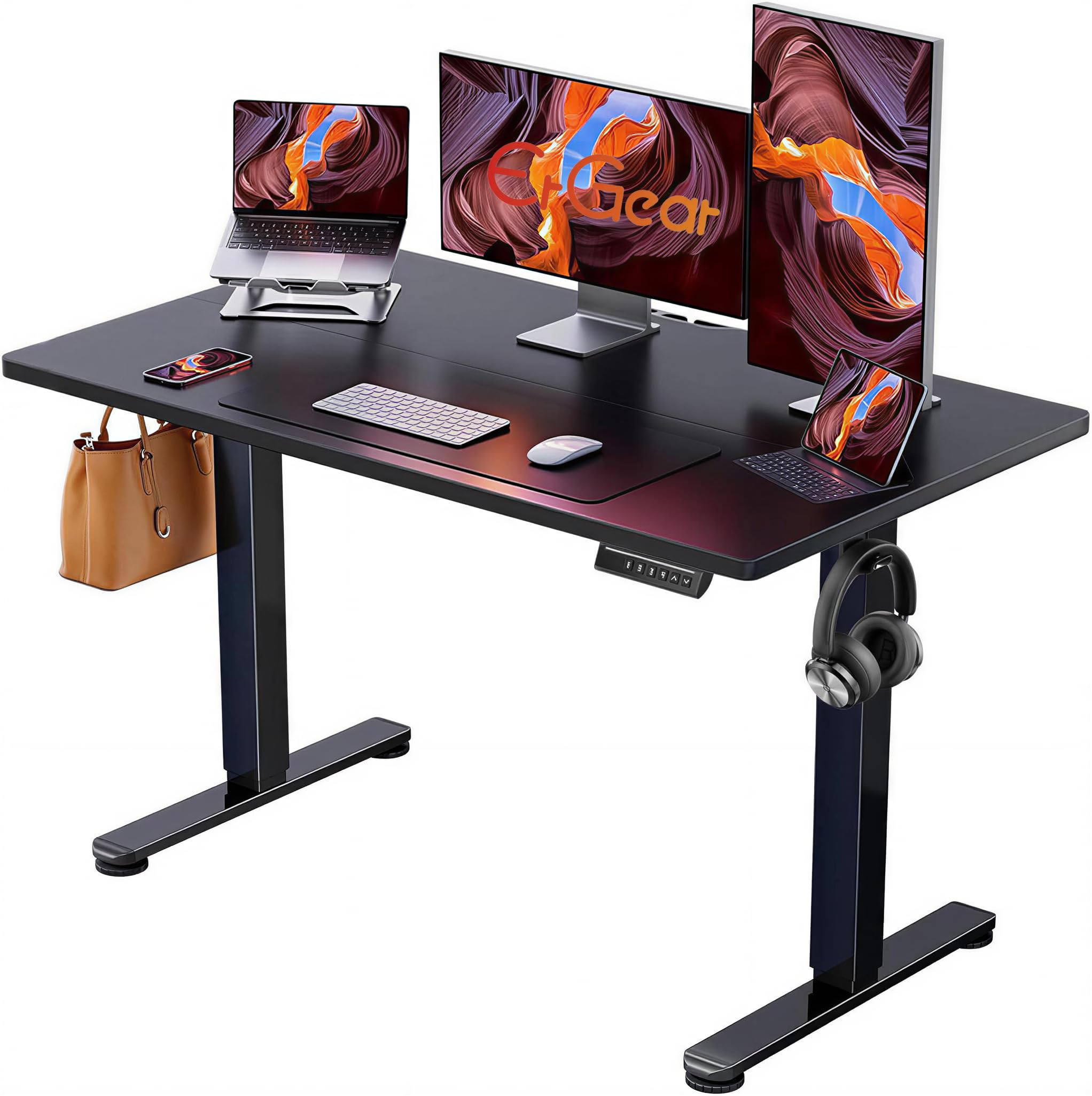
ErGear 48-Inch Standing Desk

ErGear 48-Inch Standing Desk

8.9/10 Excellent
  • Presets: 4 memory presets
  • Desktop Size: 48 x 24 in
  • Height Range: 28.4–46.5 in
  • Weight Capacity: 176 lb
Check Price on Amazon

Pros

  • Four presets on a smooth, quiet motor
  • 176 lb capacity for less than the top pick
  • Genuine one-person assembly
  • 48 x 24 in takes two monitors and a laptop

Cons

  • Desktop is two joined panels, not one slab

Two things separate the ErGear from our top pick: it costs less, and its desktop comes in two panels rather than one. Everything else lands close enough that the decision comes down to whether a join across the middle of your desk bothers you.

For the money you get a 48 x 24-inch surface, a 176-pound frame rating, and four memory presets on a motor that moves smoothly and quietly enough to shift mid-call without anyone on the other end commenting. The presets are the feature we used most: once your sitting and standing heights are stored, the desk actually gets used at both.

One thing to know before you buy: at full standing height there's some sway if you type hard or lean on the edge. Pushed against a wall or into a corner it settles down, and it behaves better on a bare floor than on deep carpet. Assembly, by contrast, is genuinely a one-person job — well-labeled parts, no surprises, done in an evening.

Bottom Line: We think it's the smart-money standing desk: accept a visible seam and you get presets, a quiet motor, and 176 pounds of capacity for less than our top pick.
#3

Best for Shared Rooms

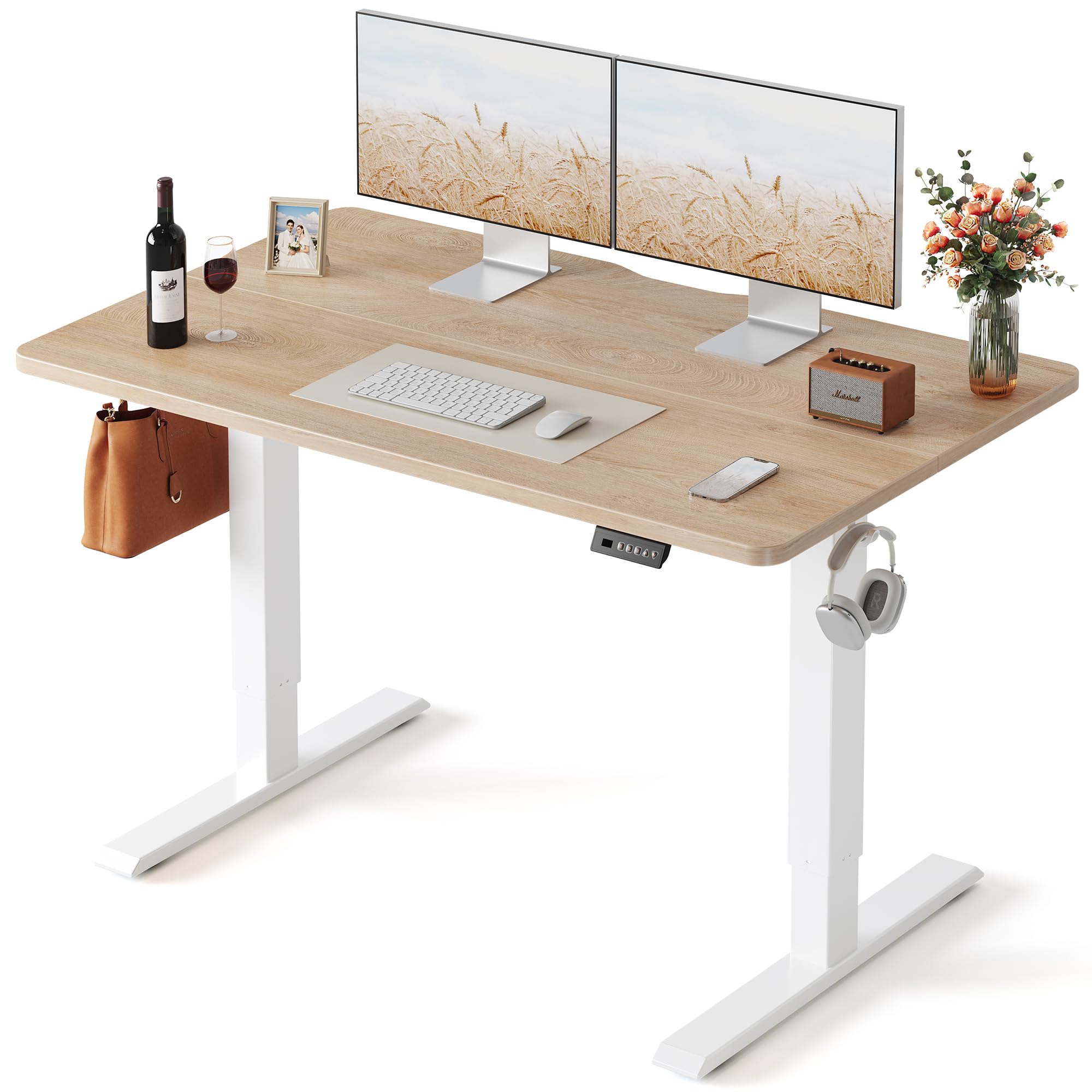
FEZIBO 48-Inch Standing Desk

FEZIBO 48-Inch Standing Desk

8.9/10 Excellent
  • Presets: 3 memory presets
  • Desktop Size: 47.2 x 23.6 in
  • Height Range: 28.3–46.5 in
  • Noise Rating: Under 45 dB
Check Price on Amazon

Pros

  • Rated under 45 dB while running
  • Motor rated for 50,000 lift cycles
  • Most parts pre-assembled for a short build
  • FSC-certified wood top in several finishes

Cons

  • Two-panel desktop leaves a seam across the middle
  • Three presets, one fewer than the other sit-stand desks

Forty-five decibels is the number to hold onto. That's FEZIBO's rated running noise, and it's the reason this desk earns a place in a shared office or a bedroom where someone else is on calls — the lift reads as a hum rather than a motor, and it vanishes under conversation.

The rest is solid rather than spectacular, and that's fine at this money. The top is 47.2 x 23.6 inches, the frame is rated to 176 pounds, and the motor is rated for 50,000 lift cycles. Most components arrive pre-assembled, so the build really is about half an hour, and the maple finish is a step above the usual black laminate.

The height range covers 28.3 to 46.5 inches, which handles most standing heights, and the top is FSC-certified wood in a choice of finishes. Against the ErGear it asks a little more and offers a little less on paper — what you're buying is the quiet.

Bottom Line: Our pick for a desk that shares a room with other people: the quietest lift here, a quick build, and a finish that doesn't look like office furniture.
#4

Best Budget Desk

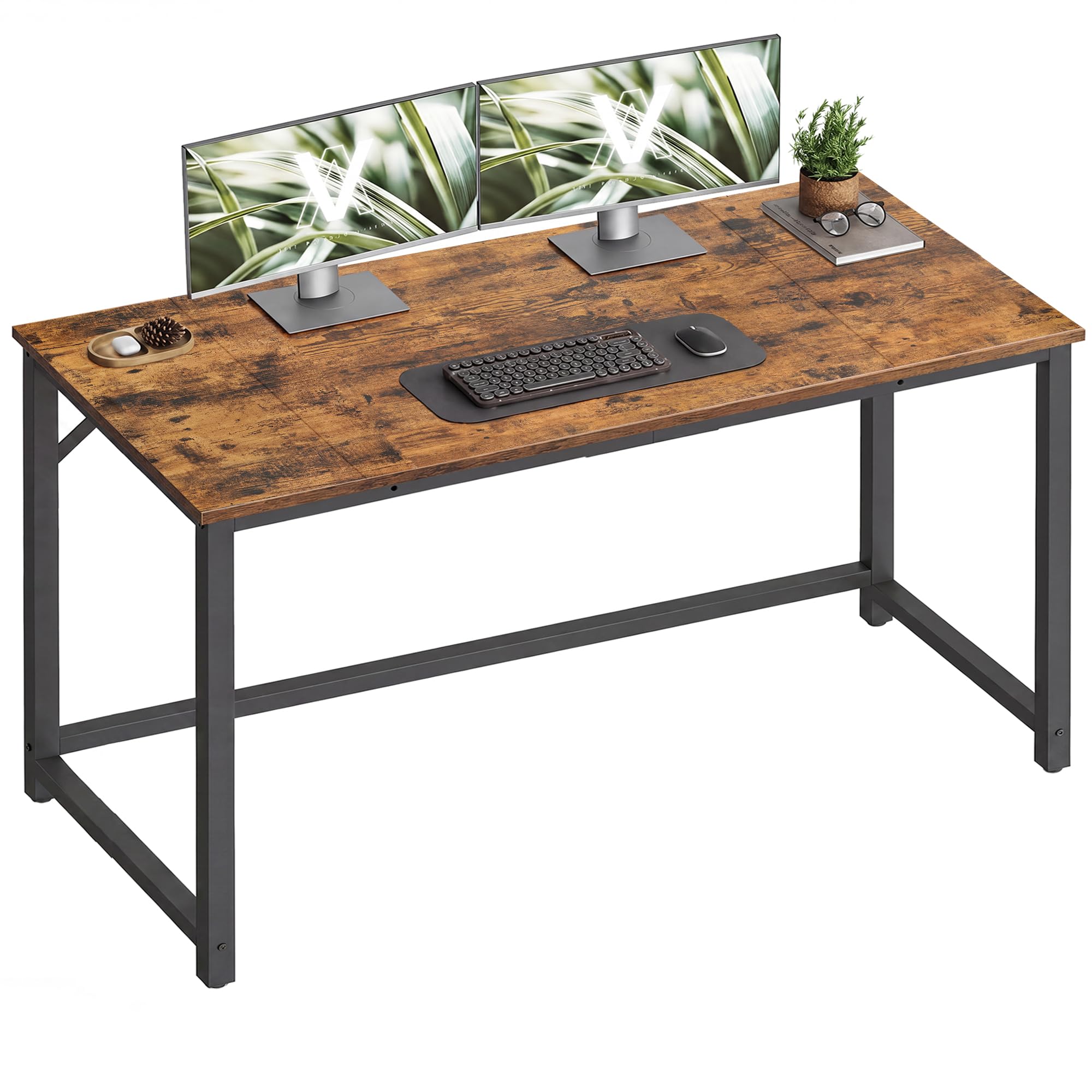
VASAGLE 47-Inch Computer Desk

VASAGLE 47-Inch Computer Desk

9.1/10 Outstanding
  • Height: 29.9 in fixed
  • Desktop Size: 47.2 x 19.7 in
  • Leveling Feet: Adjustable
  • Weight Capacity: 110 lb
Check Price on Amazon

Pros

  • Cheapest full-width desk in this guide
  • Half-hour assembly with labeled parts
  • Adjustable feet handle uneven floors
  • 22 lb, so one person can reposition it

Cons

  • 19.7-inch depth crowds a monitor and keyboard
  • 110 lb capacity is the lightest of the full-size desks

No motor, no presets, no controller to fail. The VASAGLE is a fixed-height table at 29.9 inches, 47.2 inches wide and 19.7 deep, and it's the least expensive way to get a full-width desk in this guide.

For a first desk, a spare room or a kid's study corner, that's a better trade than it sounds. The steel frame's adjustable feet handle a floor that isn't level, the whole thing weighs 22 pounds so one person can move it, and assembly is about half an hour with clearly labeled parts. The rustic brown top is the rare budget finish that looks deliberate rather than default.

The 19.7-inch depth is the catch, and it's the spec that matters most here. A 27-inch monitor on its own stand uses most of it, which leaves the keyboard right at the front edge; if you work with a monitor plus a laptop plus paperwork, this isn't your desk. The top is particleboard, so open the box on something soft and check the corners before you start turning screws.

Bottom Line: We recommend it as the desk to buy when the desk is a surface, not a machine — the best value on a full-width top here, as long as your monitor doesn't need the depth.
#5

Best Large Corner Desk

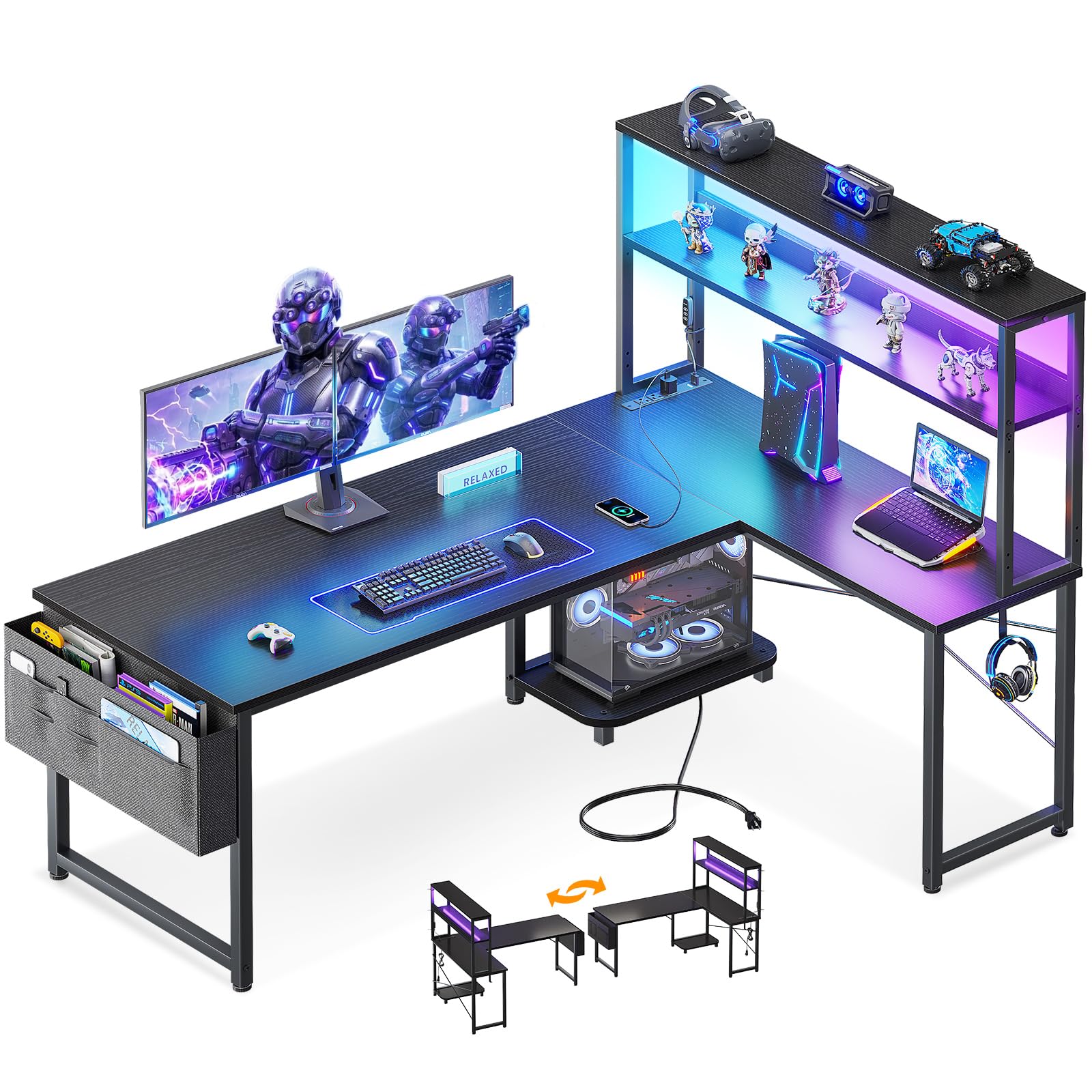
ODK 53-Inch L-Shaped Desk

ODK 53-Inch L-Shaped Desk

9.2/10 Outstanding
  • Layout: Reversible L-shape
  • Storage: Two shelves, CPU stand, hook, bag
  • Desktop Size: 53.15 x 18.9 in
  • Weight Capacity: 300 lb
Check Price on Amazon

Pros

  • 300 lb capacity, the highest in this guide
  • Side unit mounts left or right
  • Shelves, CPU stand, hook and bag included
  • Three outlets, two USB ports and an LED strip

Cons

  • LED strip is zip-tied to the shelf
  • Wants roughly a 53 x 39-inch corner

The second arm of an L-shaped desk is really a storage decision. This ODK gives it over to two shelves, a CPU stand, a hook and a bag — exactly the clutter that ends up on the work surface of a straight desk: the tower, the printer, the headset, the backpack.

Size is the reason to pick this one over the other corner desks here. The long arm runs 53 inches, the frame is rated to 300 pounds, which is the highest of anything in this guide, and the side unit mounts left or right so the desk fits whichever corner the room actually has. Three outlets and two USB ports sit on the desk, and the LED strip under the shelf makes a decent ambient light.

Where we cooled on it is depth. Each arm is 18.9 inches front to back, so a large monitor sits noticeably closer than it would on the 24-inch rectangular desks here, and a full-size keyboard with a wrist rest leaves very little in front of the screen. It's a desk for a corner and a compact setup.

Assembly is an evening rather than half an hour, and the labeling is uneven — sort the hardware into bowls before you start and the diagrams make sense. Two people for the flip, one for the shelves.

Bottom Line: We recommend it for a corner that has to swallow a tower, a printer and a headset — the most storage in this guide, though the arms are shallow.
#6

Best Compact Corner Desk

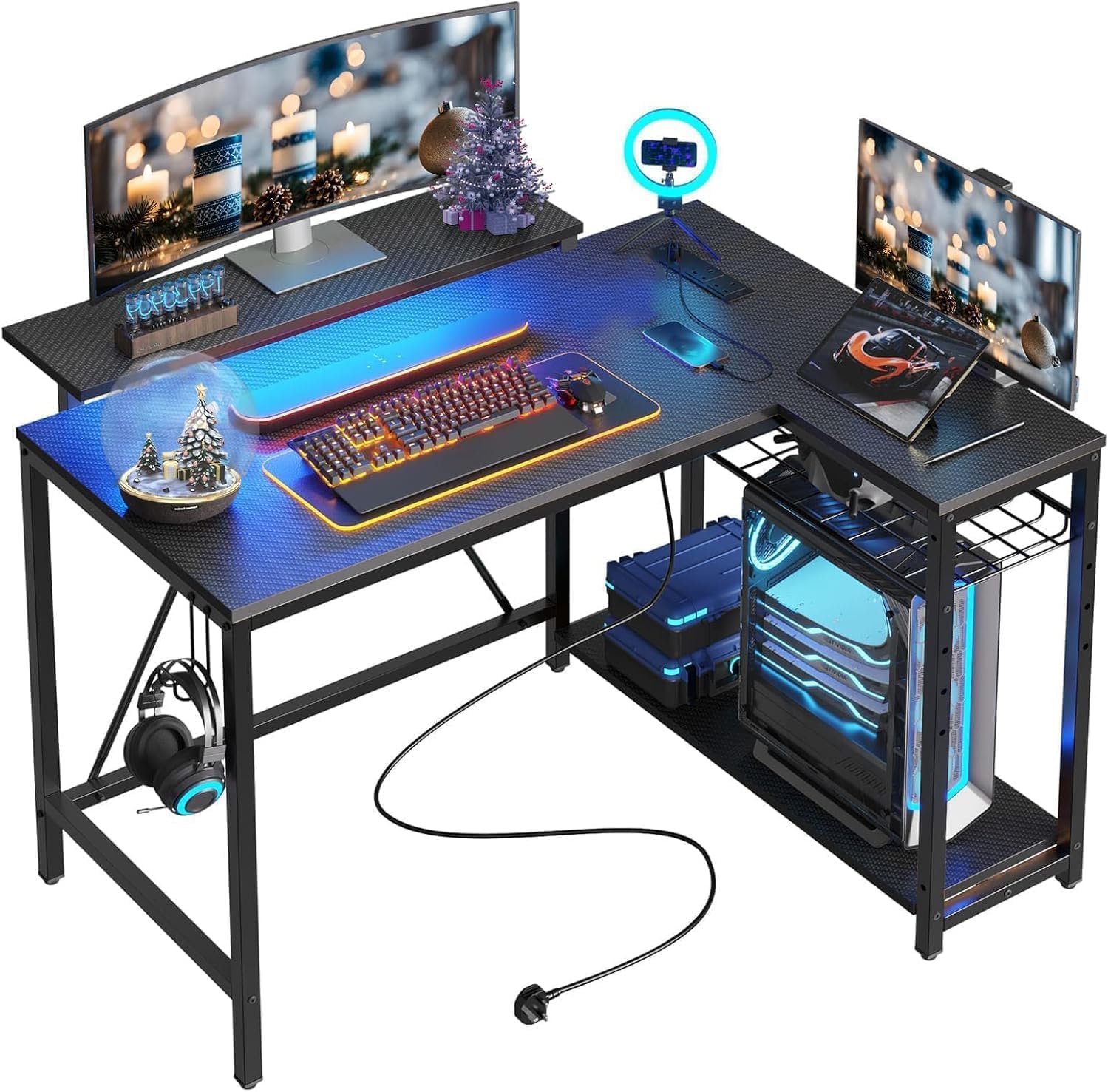
Bestier 42-Inch L-Shaped Desk

Bestier 42-Inch L-Shaped Desk

9.1/10 Outstanding
  • Shelves: Reversible, left or right
  • Charging: 2 AC outlets, 1 USB, 1 USB-C
  • Lighting: LED strip under shelf
  • Footprint: 41.9 x 32.3 in
Check Price on Amazon

Pros

  • Monitor shelf doubles as a display shelf
  • Two outlets plus USB and USB-C
  • Reversible shelves fit either corner
  • LED strip lights the work surface

Cons

  • Upper monitor shelf loosens over time
  • Carbon-fiber wrap chips at the edges

The raised shelf is the idea worth stealing. It lifts a monitor to eye level and frees the whole 42-inch span for a keyboard, a mousepad and homework, which is a better use of a small corner than simply making the desktop deeper.

The rest is aimed at a teenager's room and does that job well. Two outlets, a USB port and a USB-C port sit on the desk, the LED strip under the shelf washes light onto the work surface without glare in your eyes, and the side shelves mount on either the left or the right depending on which corner you have.

Where it gives ground to the bigger L-desks is plain size: 42 inches across is a monitor and a keyboard, not a monitor and a printer, and there's no CPU shelf to get the tower off the floor. For a first gaming desk in a small room, none of that gets in the way.

Bottom Line: We like it for a teenager's room or a first gaming setup — plenty of features, a small footprint, and money left over for a chair.
#7

Best for Tiny Spaces

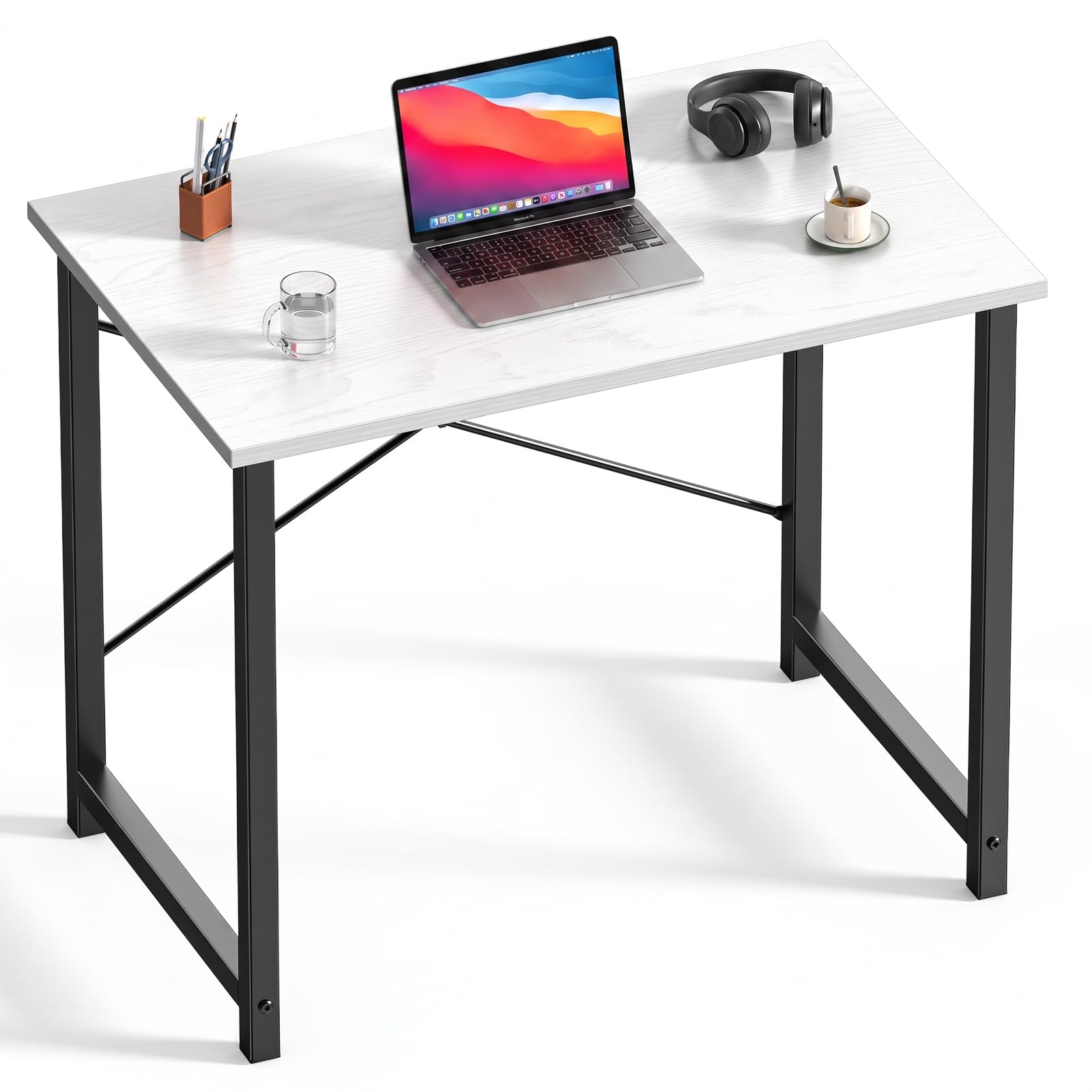
DUMOS 32-Inch Computer Desk

DUMOS 32-Inch Computer Desk

9.1/10 Outstanding
  • Frame: X-braced steel
  • Height: 29.7 in fixed
  • Desktop Size: 31.5 x 19.7 in
  • Weight Capacity: 265 lb
Check Price on Amazon

Pros

  • 265 lb capacity from a 17 lb desk
  • Assembles in about ten minutes
  • X-brace keeps it from rocking
  • Lowest price in this guide

Cons

  • 0.6-inch top marks and scratches easily

Seventeen pounds is light enough to carry a desk up a flight of stairs under one arm. That's the honest appeal here: it arrives, it goes together in minutes, and it goes wherever the room allows.

What you get for very little is more than the weight suggests. The X-brace across the back and the square-tube legs are rated to 265 pounds, more than any of the full-size rectangular desks in this guide, and 31.5 x 19.7 inches holds a monitor and a laptop side by side. The surface is wipe-clean and shrugs off a spilled coffee.

The top is 0.6 inch thick, so tightening the frame screws is a hand-pressure job — lean on a driver and you'll crack the surface around the bolt. Check the corners before you start, because a dinged edge is far easier to deal with before assembly than after it.

Where it stops is width. One monitor and a laptop fit comfortably; a monitor and a printer don't, and there's no cable management in the box. But as a dorm desk, a kid's bedroom desk or a second surface in a small apartment, nothing here asks less of your room or your budget.

Bottom Line: When the room decides for you, this is the one we hand people: cheap, light, quick to build, and sturdier than its size suggests.
#8

Small corner bedrooms

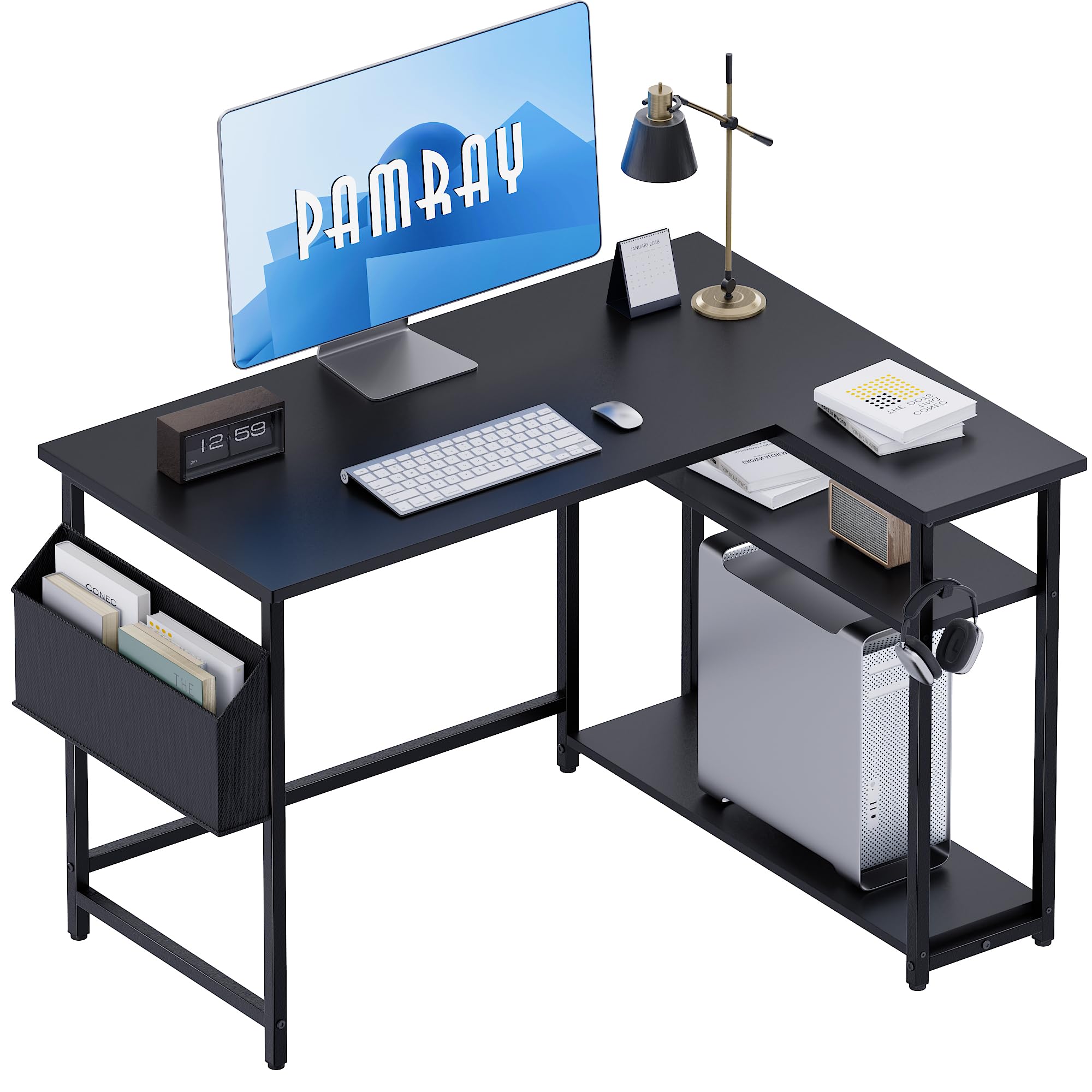
Pamray 40-Inch L-Shaped Desk

Pamray 40-Inch L-Shaped Desk

9.0/10 Outstanding
  • Layout: Reversible L-shape
  • Shelves: Two, height-adjustable
  • Desktop Size: 39.4 x 27.6 in
  • Weight Capacity: 150 lb
Check Price on Amazon

Pros

  • Height-adjustable shelves mount either side
  • Six adjustable feet cope with uneven floors
  • 39-inch L fits a genuinely small corner
  • FSC-certified wood tabletop

Cons

  • 150 lb capacity is the least of the L-shaped desks

Forty inches across sounds small for an L-shape, and it is. The point is the return: this desk fills a corner that a full 53-inch L would have to take over, and the two shelves lift the printer off the work surface instead of letting it squat at the end of the arm.

The shelves adjust in height and mount on either side, which is more flexibility than most budget corners offer, and six adjustable feet mean an out-of-level floor isn't a problem. The reinforced X-supports at the sides do the stiffening, and the tabletop is FSC-certified wood.

Assembly is straightforward: parts arrive labeled, a video is linked on the listing, and the shelves go on last so you're not lifting around them. The whole thing weighs 23 pounds, so one person can shift it once it's built.

Where this lands is the budget corner. It does most of what the ODK does for less money, with a lighter frame and half the storage. For a small bedroom that needs a proper workstation without surrendering the floor, it's an easy call.

Bottom Line: A proper corner workstation for a small bedroom, and one we're happy to recommend — reversible shelves, a level footing, and a footprint that doesn't eat the room.

How We Chose and Tested the Best Computer Desks

We started with a running list of roughly 60 desks and narrowed it by price, listed footprint, frame weight capacity, and whether the top could take a clamped monitor arm without flexing. We cut anything with a shipping record full of bent tops or missing hardware, then bought ten desks outright so no manufacturer had a say in what we wrote.

Each one was assembled on a living room floor, solo, with a stopwatch running. We followed the printed instructions word for word rather than jumping ahead, and wrote down every step that assumed a second person, a tool that wasn't in the box, or a diagram that didn't match the hardware bag. Once a desk was upright, we measured its real footprint against the dimensions on the product page and taped that outline on the floor, which is the fastest way to find out whether a desk will actually fit a room.

Then we lived with them. Every desk spent at least a month as a working setup, taking hard typing, elbows, a monitor arm, and the occasional shove while standing up. We checked the frame for side-to-side rock, watched for sag across the middle of the top, and went around tightening screws once a month to see which joints worked loose. We also looked at the finish in morning light and under a lamp, since a desk you'll stare at for hours shouldn't look worse up close than it did online. At the end, we weighed what each desk cost against what it gave back, which is where a few good-looking options fell apart.

How to Choose Computer Desks

Depth matters more than width

A 47-inch desk looks generous in a photograph, but at 19.7 inches deep the keyboard ends up at the front edge and the monitor sits closer than your eyes want. Twenty-four inches is the number to look for when you use a monitor on its own stand; the sit-stand desks here are all 24 inches deep, while the budget flat-tops run shallower. Before you order, measure from your screen to your chest at your current desk — that gap is the depth you need. Corner desks split their depth between two arms, so check each side.

Fixed height or a motor

The step up from a budget flat-top to a sit-stand desk is the motor, and it's worth taking if you sit for six hours a day. What separates the electric desks here is small: all three lift a 48-inch-class top smoothly, and the differences are presets and noise. Four presets let two people store a sitting and a standing height each; three leaves a shared desk one button short. If the desk lives in a shared room, pay for the quiet — the FEZIBO's sub-45 dB motor is the reason it earns a place.

Corner desks and small rooms

An L-shaped desk trades floor space for reach: the work happens in the corner and the second arm carries the printer, the tower or the books. The trade is depth — the L-desks here run 18.9 to 27.6 inches per arm against 24 on a rectangle, so a large monitor moves closer. Reversibility matters more than it sounds: the ODK and the Pamray both let you hang the shelves on either side, which is what makes them fit the corner your room actually has. Measure both walls before you order.

What the top is made of

Nearly every desk here is engineered wood over a steel frame, so the differences that matter are the join and the edges. A one-piece top has no seam for crumbs and no dip under the mouse; two-panel tops are common at this price and the line lands where your keyboard goes. Particleboard and MDF chip at the corners, so unpack onto something soft and inspect the edges before assembly — a damaged top is far easier to sort out before the screws go in.

Budget the assembly, not just the desk

Every desk here arrives flat, and the gap between a 30-minute build and a two-hour one is how well the parts are labeled. Budget an evening for a sit-stand or a corner desk, half an hour for a small flat-top. Build the top face-down on a rug, leave every bolt finger-tight until the frame is square, then tighten in sequence. Anything 48 inches or wider needs two people for the flip.

Frequently Asked Questions

Final Verdict

The FLEXISPOT EN1 is the desk we point most people to: a seamless one-piece top, a quiet motor, four presets and five years of cover on the frame and motor. If the join across the middle of a desktop doesn't bother you, the ErGear does the same job for less money. And if your room has a corner going spare, the ODK 53-inch L carries a tower, a printer and a headset that a rectangle would leave on the floor.