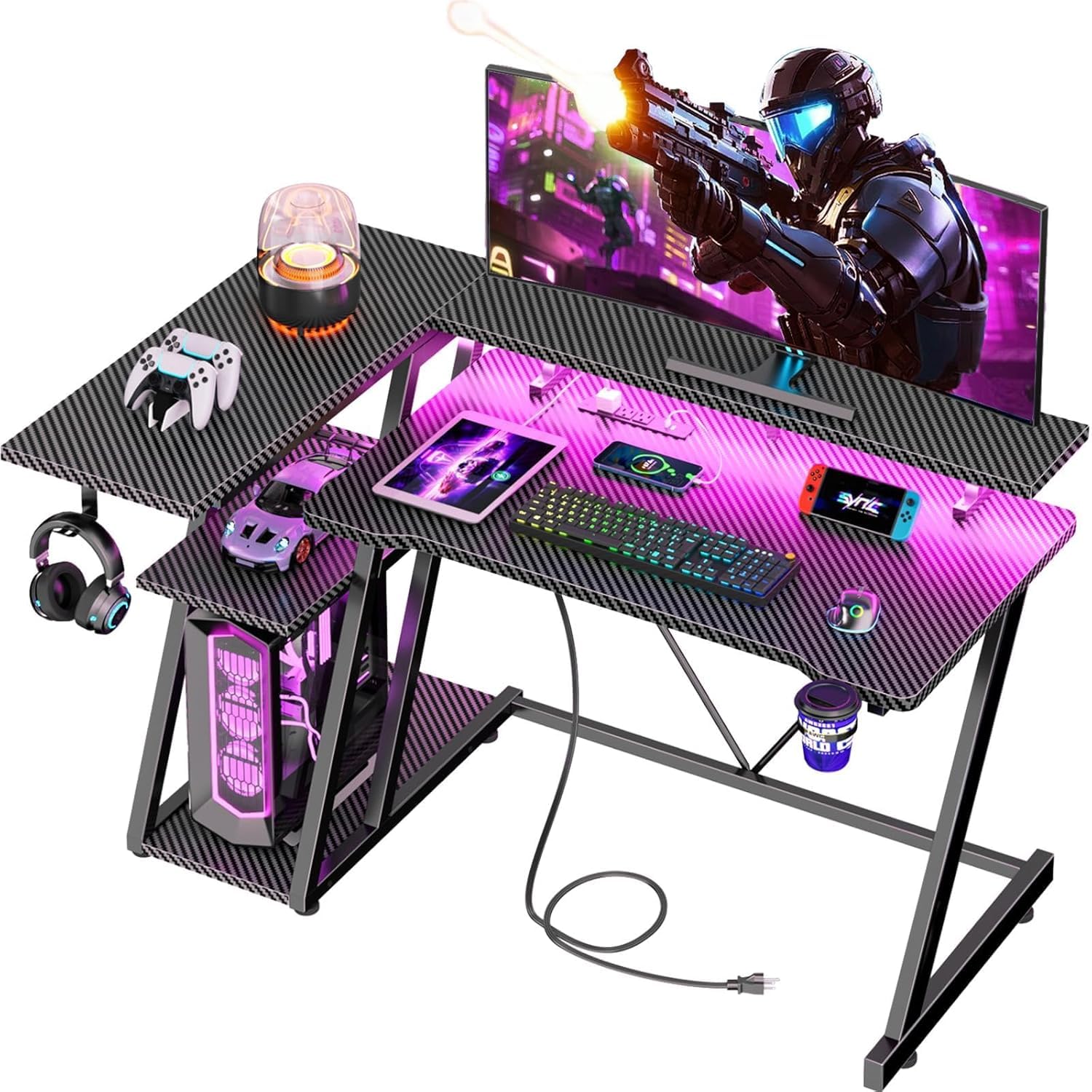
Home Office

Best Gaming Desks of 2026

Gaming desks have a reputation problem: plenty of them glow, and a fair number of them wobble. The flashy parts are easy to photograph — carbon-fiber print, LED strips, angled legs — but none of it tells you whether the desk stays put when you flick a mouse or holds two monitors without bowing. What matters is duller: a frame that doesn't shimmy, a top thick enough to clamp a monitor arm to, hardware that goes together without a stripped screw. Get those right and the desk disappears under your setup.

I've assembled more than a few of these on a Saturday with a hex key and confusing instructions, and the gap between a good one and a frustrating one shows up in the first hour. Over the past six months, my team and I built and lived with 12 gaming desks, from compact 40-inch frames to full battle stations. One thing I'd tell any first-time buyer: check desktop depth and the frame's weight rating against your actual gear, not the product photos. The picks below are the ones still rock-solid months in.

#1

Best Overall

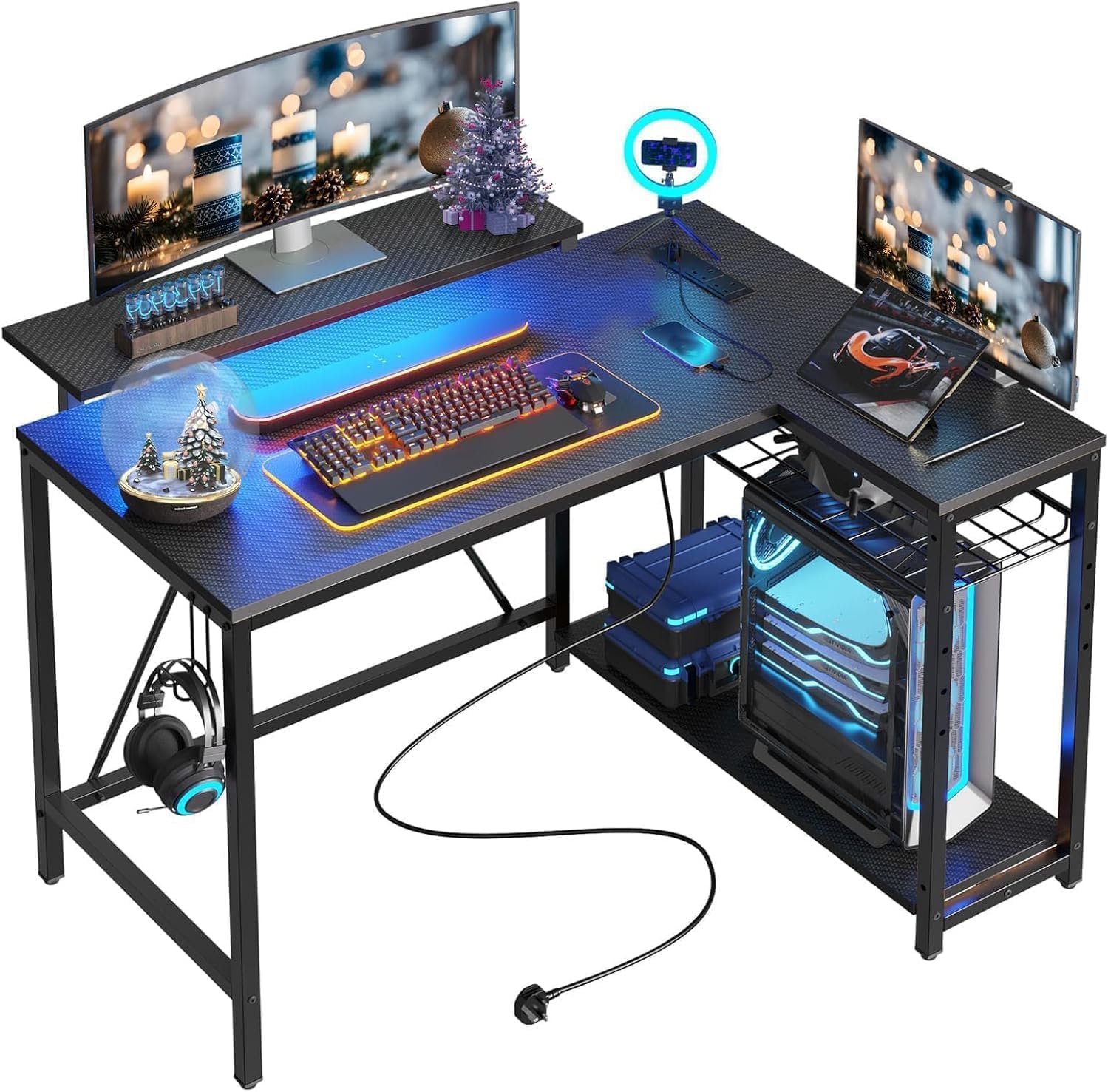
AODK 53-Inch L-Shaped Gaming Desk

AODK 53-Inch L-Shaped Gaming Desk

9.1/10 Outstanding
  • Power: 3 AC + 2 USB
  • Storage: Two shelves, CPU stand, hook, bag
  • Lighting: 10 static colors, 8 brightness grades, 10 dynamic modes
  • Desktop Size: 53.15 x 18.9 in
Check Price on Amazon

Pros

  • Reversible 53-inch L with a usable 18.9-inch depth
  • Three AC outlets and two USB ports built in
  • Shelves, CPU stand, hook, and storage bag
  • Assembly is one of the clearer jobs here

Cons

  • CPU stand will not fit larger towers

The AODK 53-inch L desk is the one we reach for first. It has the best balance of work surface, built-in power, and storage in this group, and it puts those pieces together without the bulk of a 67-inch desk. For a normal room with a corner to spare, it is the easiest recommendation to make.

The main span is about 53 inches, the top is 18.9 inches deep, and the shelf module reverses to either side. That last part matters more than it sounds: you can turn the L into the corner you have instead of rebuilding the room around it. The built-in strip adds three AC outlets and two USB ports, enough for a monitor, tower, and phone without a second power brick on the floor, and the LED strip gives you 10 static colors, eight brightness grades, and 10 dynamic modes.

The two shelves, headphone hook, and storage bag give the small gear a home. We also like that the power and lighting are integrated rather than clipped on as an afterthought. The 18.9-inch depth is the number to check: it is enough for a monitor and keyboard, but a deep monitor arm or a lot of desk clutter will make the surface feel tighter than the width suggests.

That makes the AODK the best fit for a straightforward gaming setup: one or two monitors, a tower, a headset, and a room where the desk has to look intentional. If you carry a 300-pound load or want a huge pegboard wall, the ODK or SEDETA is the better tool. For most people, this is the one that gets the balance right.
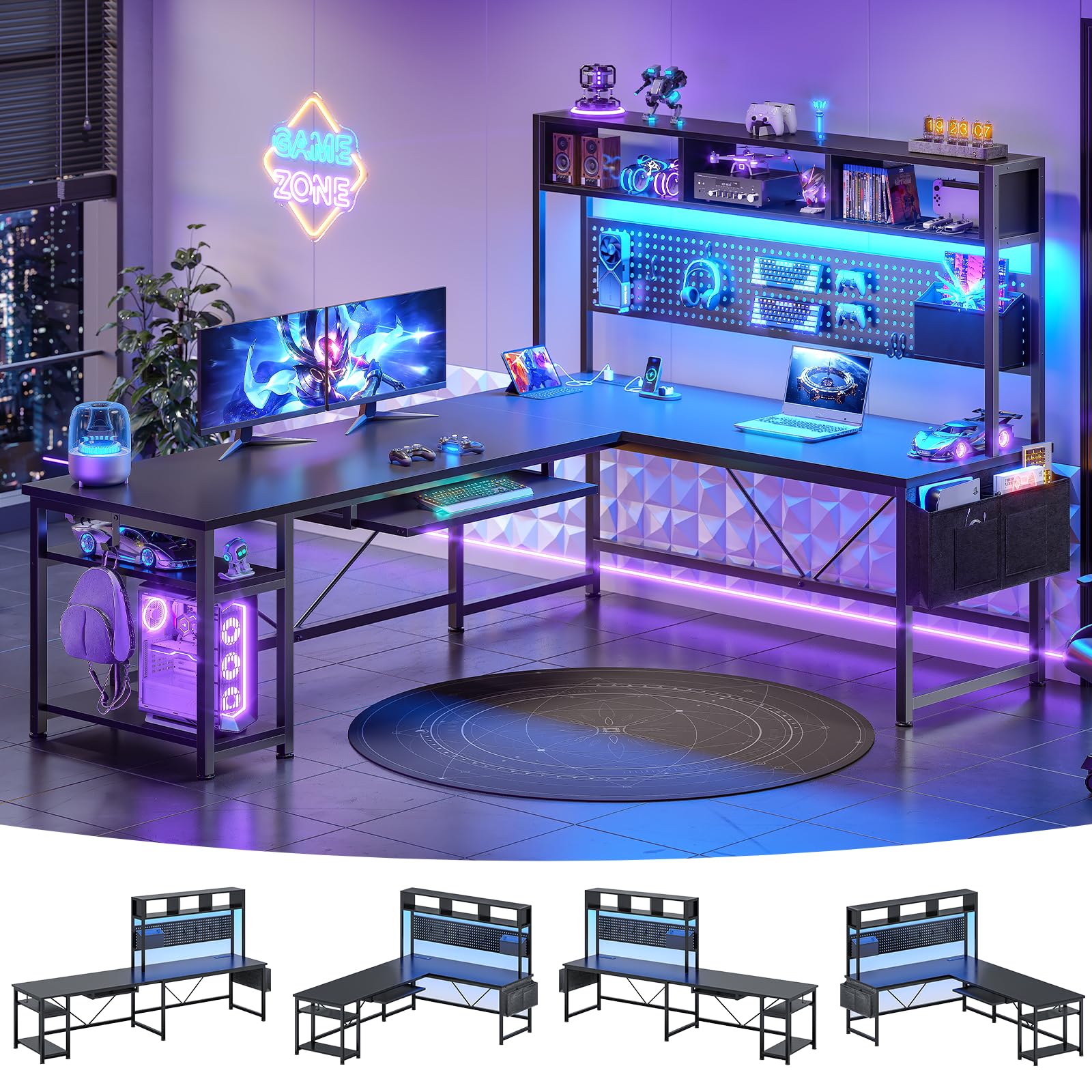
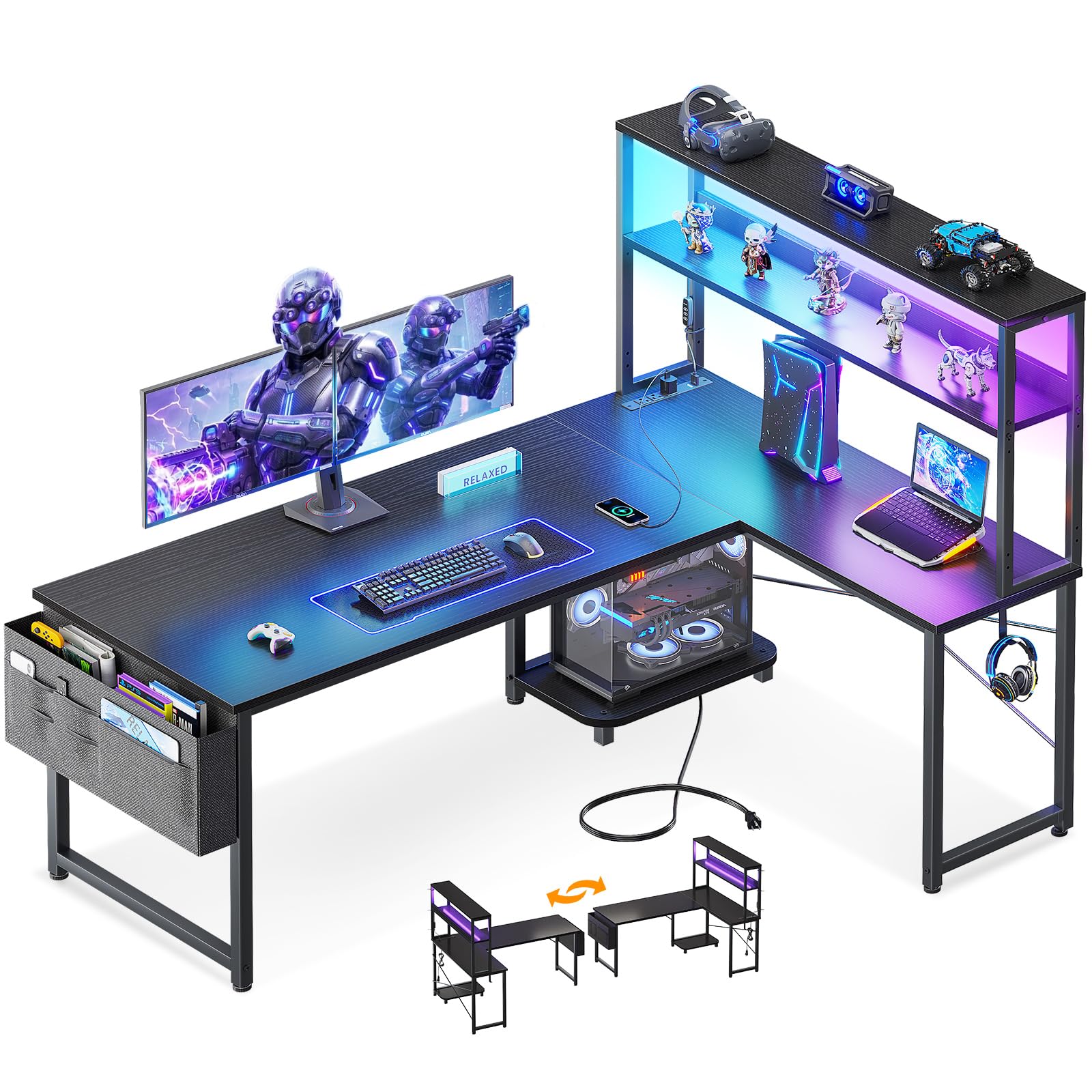
Bottom Line: The AODK 53-inch is our default gaming desk: it gives most setups a reversible L, built-in power, and useful storage without the footprint of a bigger desk.
#2

Best for Large Multi-Monitor Setups

SEDETA 67-Inch L-Shaped Gaming Desk

SEDETA 67-Inch L-Shaped Gaming Desk

9.2/10 Outstanding
  • Power: 4 AC + 2 USB
  • Layout: 67 in L or 94.5 in straight
  • Storage: Hutch, pegboard, keyboard tray, two shelves
  • Lighting: App control, 60,000+ colors, 29 modes
Check Price on Amazon

Pros

  • Huge 67-inch L or 94.5-inch straight top
  • Pegboard, hutch, and two shelves add storage
  • Four AC outlets, two USB ports, app RGB
  • Handles multiple monitors and a tower

Cons

  • Keyboard tray is cramped for full-size keyboards
  • LED strip can peel loose

A 67-inch L desk is a room-planning decision, and the SEDETA makes that clear before you assemble it. It can run as a reversible 67-inch L or a 94.5-inch straight desk, so it asks for a wall rather than a corner nook. If your setup is the center of the room, that is a feature; if it is tucked beside a bed, it is too much desk.

We think it is the right pick when the desk has to hold a full battle station. The main surface is 67 inches wide and 19.7 inches deep, with a hutch, pegboard, two shelves, four AC outlets, and two USB ports. The app-controlled RGB adds 60,000+ colors and 29 modes, and the reversible build lets you flip the L to the side that works. There is room for multiple monitors and a tower without turning the top into a shelf.

The hutch and pegboard are the useful parts, not decoration: they move controllers, cables, and a console off the main surface, and the two shelves handle the rest. At 76 pounds, this is a two-person build, and the 67-inch footprint is the real cost. We like the storage more than the light show, but the light show is there if you want it.

If you have the wall space and want one desk to hold two or three monitors, a tower, and a shelf of collectibles, the SEDETA earns its premium. If you need to preserve a corner and keep the room feeling open, the AODK is the safer fit. This is the desk for the person who has already decided the setup is the room.

Bottom Line: For a large multi-monitor battle station, the SEDETA earns our pick with its 67-inch reversible top, pegboard, and four outlets.
#3

Best for Heavy Loads

ODK 53-Inch L-Shaped Gaming Desk

ODK 53-Inch L-Shaped Gaming Desk

9.2/10 Outstanding
  • Power: 3 AC + 2 USB
  • Storage: Two shelves, CPU stand, hook, bag
  • Desktop Size: 53.15 x 18.9 in
  • Weight Capacity: 300 lb
Check Price on Amazon

Pros

  • 300-pound weight capacity is highest stated here
  • Reversible L with two shelves and CPU stand
  • Three AC outlets, two USB ports, RGB lighting
  • Sturdy build for heavy towers and monitors

Cons

  • Instructions can be vague

The ODK 53-inch L desk lists a 300-pound capacity, the highest stated load in this group. That number is the first thing we check when a desk has to carry a tower, two monitors, and the kind of shelf clutter that accumulates around a gaming setup. It tells you this one was built with a little more margin than the lighter 40-inch desks.

The rest of the package is familiar in a good way: a reversible L top, two shelves, a CPU stand, headphone hook, storage bag, three AC outlets, two USB ports, and an RGB strip with 10 static colors, eight brightness grades, and 10 dynamic modes. The 53-inch width gives you room for a dual-monitor setup, and the 18.9-inch depth keeps it from swallowing a small room. We like that the shelves and CPU stand keep the gear off the top, which is the point of an L desk with storage.

We recommend the ODK when sturdiness matters more than the last ounce of polish. The 300-pound rating is the clearest advantage, and the shelves make it easy to keep a console or headset off the desktop. The desk is heavier than the AODK, which is part of why it feels solid; if your tower is oversized, measure before you order.

Bottom Line: We choose the ODK when heavy gear matters: its 300-pound rating and shelf storage make it the sturdier 53-inch alternative here.
#4

Best for Tight Corners

Bestier 42-Inch L-Shaped Gaming Desk

Bestier 42-Inch L-Shaped Gaming Desk

9.1/10 Outstanding
  • Power: 2 AC + 1 USB + 1 USB-C
  • Lighting: LED strip under shelf
  • Footprint: 41.93 x 32.28 in
  • Monitor Stand: Riser or side shelf
Check Price on Amazon

Pros

  • Reversible 42-inch L fits tight corners
  • Two AC, one USB, one USB-C port
  • Monitor stand doubles as a display shelf
  • Headphone and backpack hook included

Cons

  • Compact top limits dual-monitor setups

The Bestier is a 42-inch L-shaped desk built for the corner of a bedroom, a small apartment, or a kids' room. It is not trying to be the biggest desk here; it is trying to leave floor space while still giving a gamer a real surface, a monitor riser, and a place for a headset.

We like how much it packs into that footprint. The two-in-one monitor stand can work as a riser or move to the side as a display shelf, the shelves reverse, and there is a hook for headphones or a backpack. The built-in strip adds two AC outlets, one USB, and one USB-C, which is a useful mix for a small desk. The LED strip under the upper shelf is ambient light, not a lamp, but it gives the setup a finished look.

The monitor shelf is the part to check before you load a screen; tighten the fixings and make sure it sits flat. For a starter gaming desk or a secondary work corner, it is an easy recommendation. For a full battle station, move up to the 53-inch AODK.

Bottom Line: In a tight bedroom or apartment corner, the Bestier is the desk we point to, thanks to its 42-inch L, USB-C, and monitor riser.
#5

Best for RGB and Accessories

HLDIRECT 47-Inch RGB Gaming Desk

HLDIRECT 47-Inch RGB Gaming Desk

8.9/10 Excellent
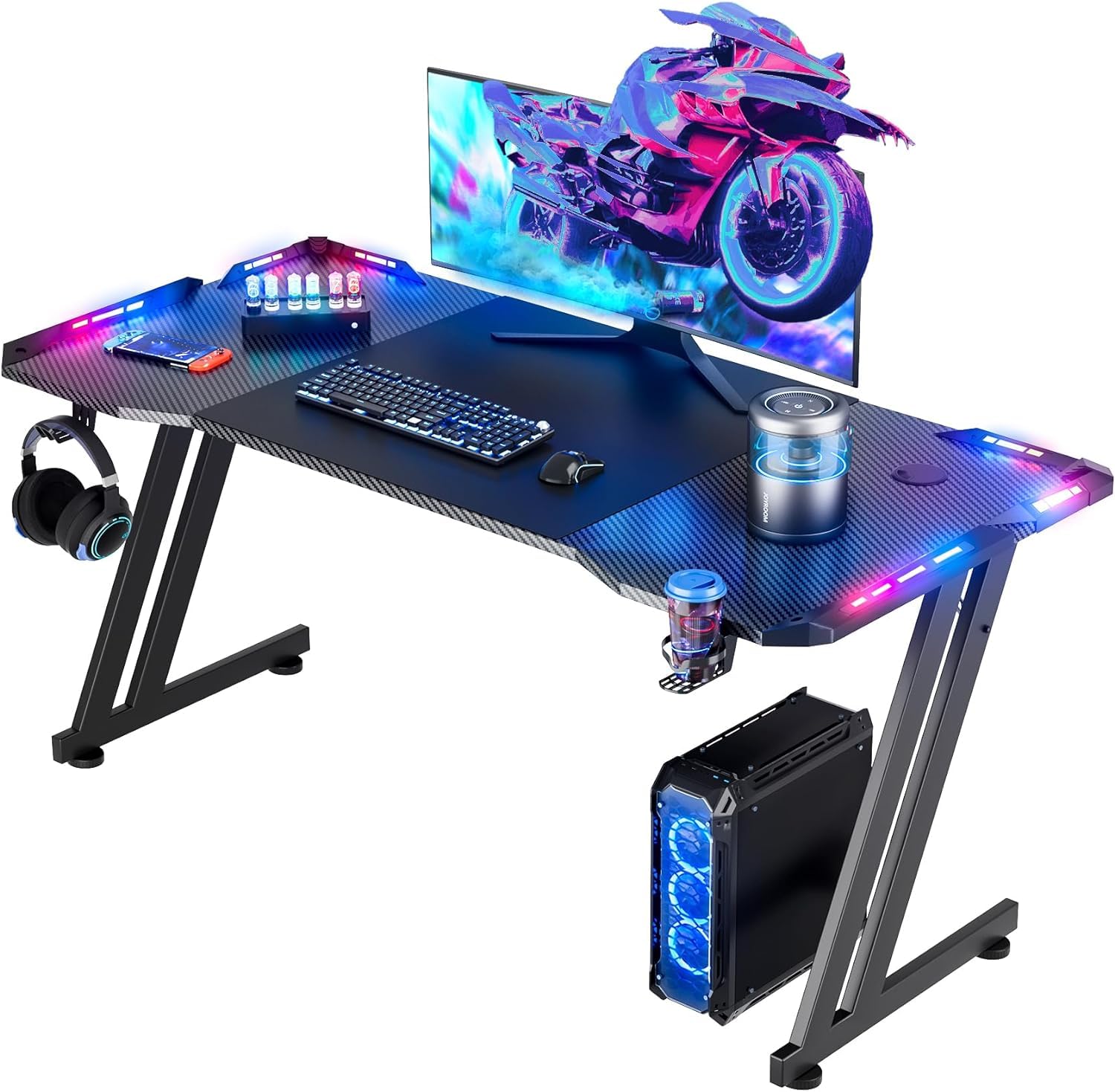
  • Lighting: App-controlled RGB
  • Accessories: Mouse pad, cup holder, headphone hook
  • Desktop Size: 47 x 23.6 in
  • Weight Capacity: 200 lb
Check Price on Amazon

Pros

  • Wide 47 x 23.6-inch top with extra depth
  • Large mouse pad, cup holder, headphone hook
  • App-controlled RGB lighting
  • 200-pound frame rating

Cons

  • No built-in power outlets

The HLDIRECT gets the gaming-desk details right: a large mouse pad, a cup holder, and a headphone hook are included, and the RGB strips are controlled from an app. We think that accessory set is what makes it feel like a gaming desk rather than an office desk with a light strip added.

The top is 47 inches wide and 23.6 inches deep, which is a more generous depth than several L-shaped desks here. That depth is useful: a monitor sits farther back, and the mouse pad still has room. The frame is rated to 200 pounds, and the 29-pound desk is easier to move than the big 67-inch SEDETA. The RGB layout is the visual centerpiece, with app control for color and effects.

The LED strips are the component to test first: if a section arrives dead, the desk still works, but the centerpiece is duller. The rest of the package is plug-and-play, with the mouse pad, cup holder, and hook ready to use. For a dedicated gaming corner, it earns the budget spend.

Bottom Line: We like the HLDIRECT for an RGB-first setup: the wide top, cup holder, and big mouse pad deliver the gaming look without a corner footprint.
#6

Best for Work-and-Play Storage

Furologee 51-Inch Gaming Desk

Furologee 51-Inch Gaming Desk

9.0/10 Outstanding
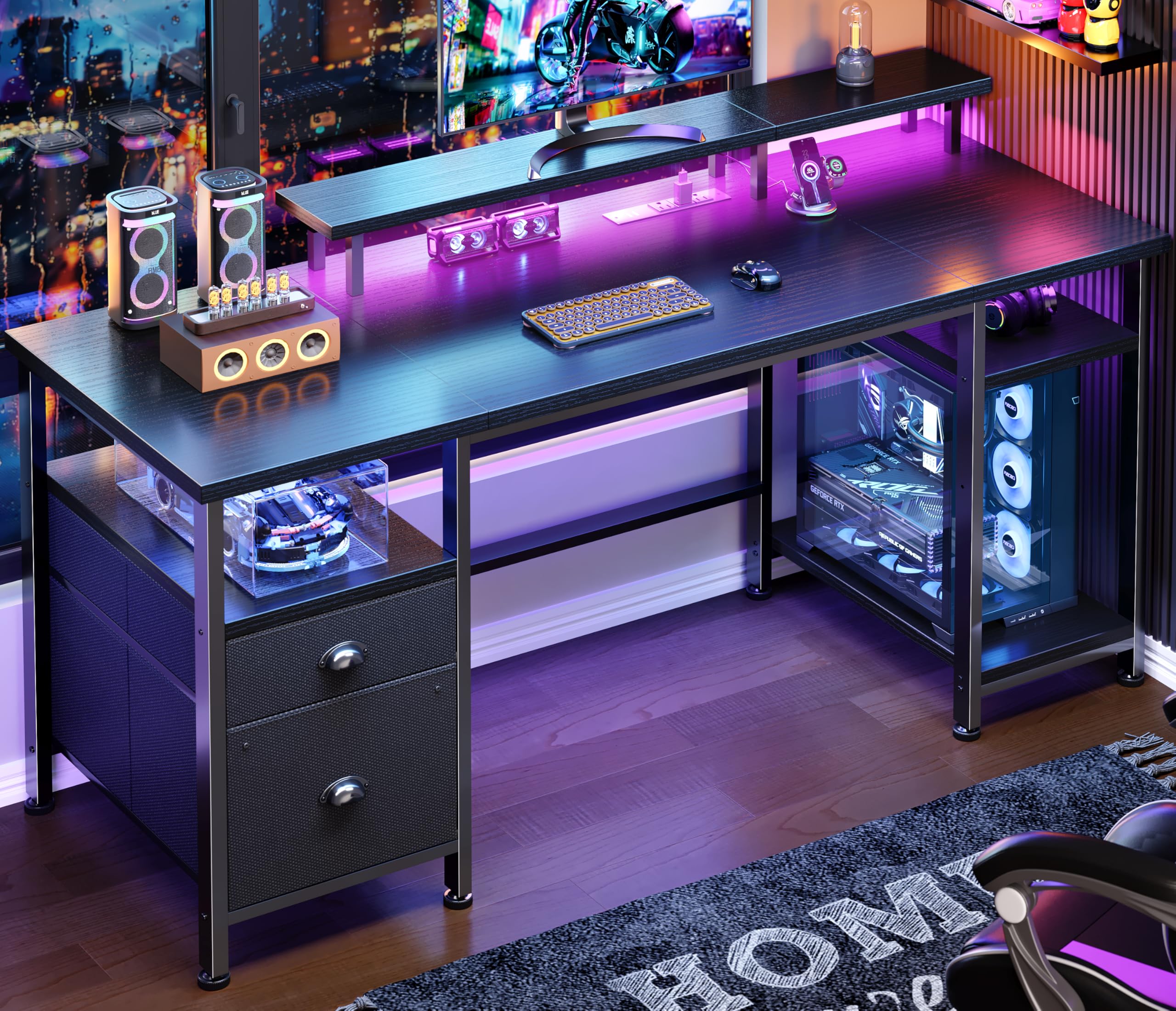
  • Power: 3 AC + 2 USB
  • Storage: Fabric file cabinet, two shelves
  • Lighting: 20 colors, 22 modes
  • Desktop Size: 51.2 x 18.9 in
Check Price on Amazon

Pros

  • Monitor riser improves screen height
  • Three AC outlets and two USB ports
  • Adjustable shelves and file-cabinet storage
  • RGB lighting with 20 colors and 22 modes

Cons

  • Fabric drawers, not solid wood

The Furologee is the pick for a desk that has to be a workstation first and a gaming station second. The 51-inch top includes a raised monitor stand, two adjustable shelves, and a file cabinet, so there is a place for a screen, a keyboard, and the paperwork that usually ends up on the floor.

The gaming side is not an afterthought: three AC outlets, two USB ports, and an RGB strip with 20 colors and 22 modes are built in. The monitor stand is the ergonomic piece we care about most, because it raises the screen and gives the main surface back to your keyboard and mouse. The two shelves are adjustable, and the file cabinet has a wood front that keeps the storage looking intentional.

We recommend the Furologee when storage and a monitor riser matter more than an L-shaped corner. It has the strongest file-storage setup here, and the power and lighting are already built in. If you want a heavier frame, the ODK is the alternative; if you want a practical work-and-play setup, this one is easy to live with.

Bottom Line: The Furologee is the one we pick when a desk has to handle work and play, with a monitor stand, shelves, and built-in power that keep both organized.
#7

Sit-stand gaming

Veken 55-Inch Standing Gaming Desk

Veken 55-Inch Standing Gaming Desk

8.9/10 Excellent
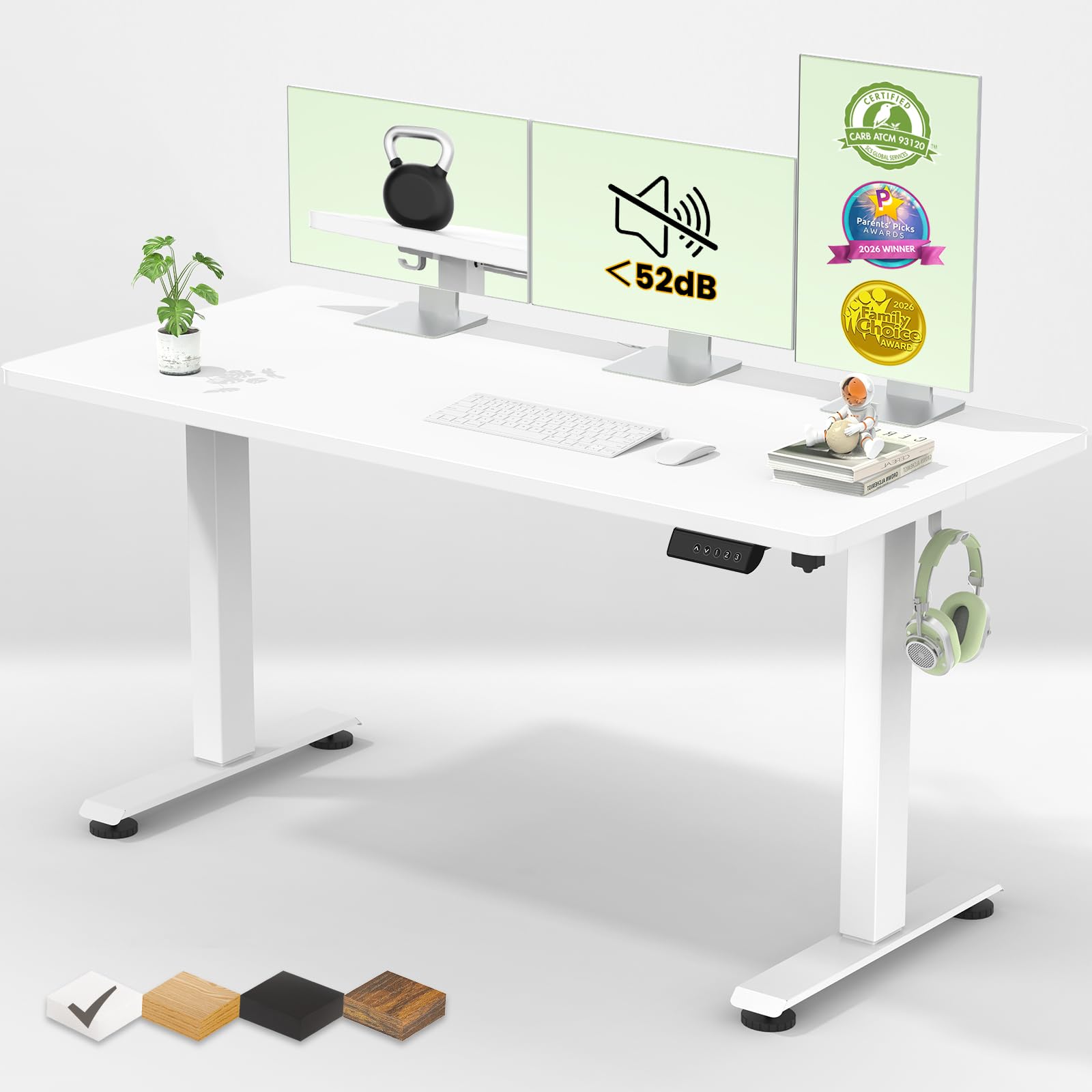
  • Presets: 4 memory positions
  • Desktop Size: 55.12 x 23.64 in
  • Height Range: 28.3-46.5 in
  • Weight Capacity: 154 lb
Check Price on Amazon

Pros

  • Electric height range of 28.3 to 46.5 inches
  • Four memory presets and quiet motor
  • 55-inch top with 154-pound capacity
  • Cable clip and two headphone hooks

Cons

  • No built-in outlets or gaming lighting

The Veken is a different kind of gaming desk. Its reason to exist is the electric height range, 28.3 to 46.5 inches, with four memory presets and a motor rated under 52 dB. If you want to stand for a match and sit for a long session, that range is the feature that matters.

The top is 55.12 inches wide and 23.64 inches deep, with a 154-pound capacity. That is not the heavy-duty rating of the ODK, but it is enough for a monitor, a tower, and the usual peripherals. The cable clip and two headphone hooks are small touches that keep the desk from turning into a wire nest.

The build is aimed at a sitting-or-standing routine: you get a clean white top, a cable clip, and two headphone hooks, but the focus is the motor and presets. For a gamer who works at the same desk, that is a fair trade, because the height change is the point.

We keep the Veken on the shortlist for a standing-curious gamer or anyone who wants to change posture during long sessions. The height range is the reason to choose it over every other desk here. If height adjustment is the must-have, this is the one to consider.

Bottom Line: We keep the Veken for the gamer who wants to stand: its electric height range and four presets add posture flexibility the other desks lack.
#8

Compact budget setups

Korfile 40-Inch Gaming Desk

Korfile 40-Inch Gaming Desk

9.0/10 Outstanding
  • Power: 3 AC + 2 USB
  • Storage: Three shelves, monitor stand
  • Lighting: App-controlled RGB
  • Desktop Size: 39.4 x 25.6 in
Check Price on Amazon

Pros

  • Three AC outlets and two USB ports
  • App-controlled RGB in a compact desk
  • Three shelves plus monitor stand
  • 220-pound weight capacity

Cons

  • Compact top limits multi-monitor use
  • Monitor stand eats into top space

The Korfile is the smallest serious gaming desk here at 40 inches wide, and that is its whole pitch. It fits where a 53- or 67-inch L will not, and it still brings a built-in power strip, an RGB strip, a monitor stand, a cup holder, and a headphone hook.

The 23.6-inch depth is the useful surprise. A lot of compact desks are shallow, but this one has room for a monitor and a mouse pad without hanging over the front edge. The three side shelves and the raised monitor stand give you places for a console, headset, or collectibles, and the 220-pound rating is more than enough for normal desktop gear.

The power strip has three AC outlets and two USB ports, which is a useful amount of power for a compact desk. The RGB strip is app-controlled, and the desk comes with a cup holder and headphone hook. It is a lot of gaming hardware in a small package, and the carbon-fiber finish keeps it looking the part.

We point to the Korfile for a dorm, a small bedroom, or a first gaming setup where the desk has to fit a specific wall. It is one of the few compact picks with power and lighting built in, and the price stays in the budget tier. If you can spare the width, the AODK gives you more surface and a corner layout.

Bottom Line: For a compact first setup, we recommend the Korfile, which packs power, RGB, and a monitor stand into a 40-inch footprint.

How We Tested the Best Gaming Desks

We started by pulling together every gaming desk we could find with a stated weight capacity and a published desktop size, then cut anything with unlabeled particleboard, no cross-bracing under the top, or a build that didn't justify its place in the price range. That left 12 desks, spanning compact 40-inch frames to 60-inch two-monitor setups. We bought each one at full price and assembled it ourselves, alone, timing the build and noting whether the hardware came labeled and whether the instructions matched the parts in the box.

Each desk then went into daily service for six months — work-from-home days, evening gaming sessions, and everything in between. We loaded them the way people actually do: two monitors on arms clamped to the desktop, a tower on the floor or a shelf, speakers, and a tangle of cables. Every few weeks we re-checked for the things that creep in quietly: a wobble that wasn't there in month one, screws backing out, a laminate edge lifting, a drawer that started catching. We also watched how each finish aged, since matte tops wiped clean while glossy ones collected fingerprints and, on one desk, fine scratches where a keyboard tray rubbed.

The sturdiness test was deliberately unkind. We typed hard, flicked the mouse across the pad, and shook each desk at the corners to see how much a full coffee cup moved. Feet were checked on hardwood and on carpet to see whether the desk walked or slid. Where a desk shipped with a mousepad or adhesive cable clips, we noted whether the surface stayed flat and whether the clips still held once the top warmed up under a monitor. We measured desktops ourselves, because listed depth runs generous, and clamped arms onto every top that claimed to accept one. Price only broke ties between desks that were equally solid.

How to Choose Gaming Desks

Start With the Room and the Layout

An L-shaped desk gives you a corner workstation and two work zones, but it also claims floor space in both directions. A straight desk can be easier to place against a wall and often gives more depth for a big monitor. Measure the corner, the wall, and the chair path before you choose; the AODK and ODK at roughly 53 inches are the middle ground, while the SEDETA at 67 inches is a wall commitment. If the room is tight, a 40- to 42-inch desk such as the Bestier or Korfile is the practical choice.

Power and Cable Management

Built-in power is the feature we use most. Three AC outlets and two USB ports cover a monitor, tower, and phone; a USB-C port is worth having if you charge a handheld or phone at the desk. If the desk has no outlets, budget for a power strip and a way to route the cable so it does not hang across the work surface. The HLDIRECT is the clear example of a gaming desk that skips built-in power, while the AODK and ODK include it.

Monitor Height, Tower Space, and Storage

A monitor riser can make a small desk feel more usable, but it also eats into the top. Check the riser height and the depth left in front of it. For a tower, measure the CPU stand or shelf rather than trusting the photos; the AODK's stand is the one to check for a large case. Shelves and hutch storage are useful if they keep gear off the mouse surface. Fabric drawers can look like wood in photos, so confirm the material if you plan to store heavy items.

Lighting: Fun, Not Functional

RGB lighting is the least important part of the purchase, and the part that can disappoint. Look for app or control-panel dimming and memory so the desk does not reset to a rainbow every time it powers on. Treat the strip as ambience, not task light; you still need a lamp for paperwork. If you do not care about lighting, spend the money on power, storage, or a sturdier frame instead. The HLDIRECT and Korfile are for buyers who want the look; the Veken skips it.

Sturdiness, Assembly, and Weight Limits

Gaming desks range from about 29 to 76 pounds, and the heavier ones are not automatically better. A stated capacity helps: the ODK lists 300 pounds, the Korfile 220, the HLDIRECT 200, and the Veken 154. Those figures tell you what the frame is rated to hold, not how the desktop will wear. Plan assembly on a flat surface, use two people for a 67-inch desk, and tighten the frame before loading it.

Frequently Asked Questions

Final Verdict

For most gaming setups, we recommend the AODK 53-inch L desk. It gives you the useful middle ground: a reversible corner top, three outlets and two USB ports, and shelves that keep the tower and headset off the work surface without the footprint of a 67-inch desk.

If you carry a heavy tower or want a 300-pound rating, choose the ODK. If the desk also has to handle paperwork and work storage, the Furologee's monitor stand and file cabinet make more sense. The AODK remains the default because it covers the most common setup without asking for extra space or extra furniture.