Home Office

13 Best Printer Stands of 2026: Real Stability That Matches Specs

Best printer stands that handle actual printer weights without wobble: under-desk carts, desktop risers, and heavy-duty options for home offices and craft rooms.

The biggest frustration with budget printer stands? A sticker that says 88 lbs, but a printer half that weight makes the whole cart shake during a print cycle.

That gap between marketing specs and real-world stability comes down to frame bracing, material quality, and—most often overlooked—top surface dimensions. A stand that's too narrow or shallow allows your printer to overhang, shifting its center of gravity and causing wobble no matter how strong the steel claims to be. We focus on the dimensions and frame designs that actually deliver the stated capacity, so you can fit your printer under a standard desk without compromise.

#1

Best Overall

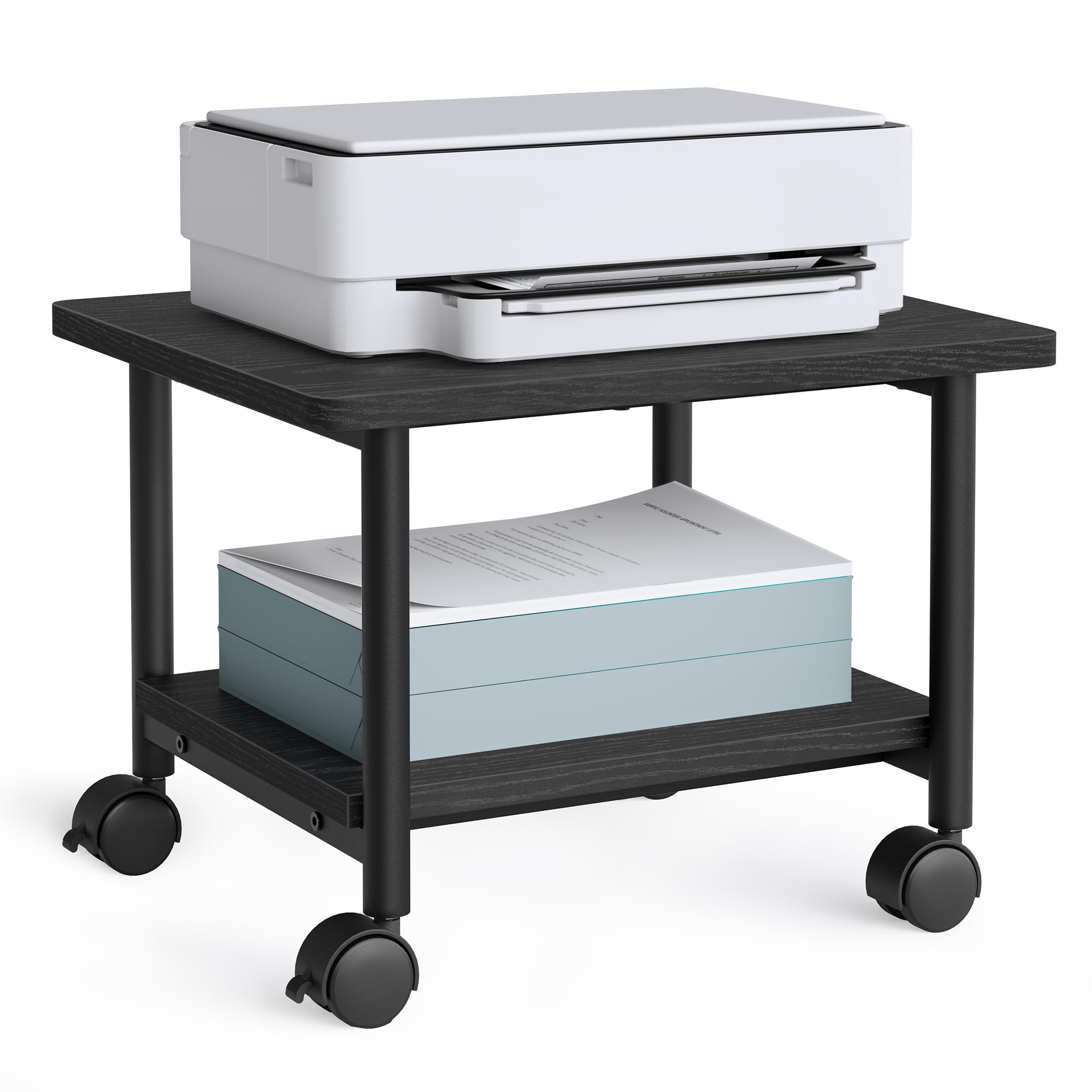
VASAGLE UOPS02B Printer Stand

VASAGLE UOPS02B Printer Stand

9.2/10 Outstanding
  • Height: 13.4 in
  • Storage: 2 open shelves
  • Mobility: Locking casters (2 of 4)
  • Footprint: 18.9x15.7 in
Check Price on Amazon

Pros

  • Supports up to 99 lbs, keeping heavy laser printers stable even during printing. — 147 mentions, 96% positive
  • Assembles without tools, typically in under 15 minutes. — 185 mentions, 94% positive
  • Compact 18.9x15.7-inch footprint slides under most desks. — 73 mentions, 86% positive

Cons

  • Edges of the particleboard top may show minor chips out of the box, without affecting strength. — Isolated reports in top reviews, not widespread
  • No drawer or cable management; open shelves leave printer supplies in plain sight.

With a 99-pound top shelf capacity and a footprint of 18.9 by 15.7 inches, this VASAGLE cart lifts a large printer off the floor and keeps it stable even during heavy printing cycles. The steel frame and tool-free assembly make setup a single-person job that's usually done in under 15 minutes, and the four casters — two lockable — glide easily on hard floors and carpet. The open bottom shelf supports 33 lbs for paper stacks or a secondary device. Inspection of the particleboard edges upon delivery is wise, as minor chips can occur, but they don't compromise the cart's rigidity.

This stand suits home offices where a mid- to large-size printer needs to live under a standard desk and mobility helps with cleaning or occasional repositioning. There's no drawer or cable management, so supplies on the bottom shelf stay visible — a non-issue if you prefer quick access over a concealed look. Its 99-pound rating and compact dimensions make it a sensible choice for bulkier printers that would overwhelm a lighter cart. If you require a drawer or want every cord hidden, these open shelves won't satisfy.

💡 💡 Tip: Add small baskets or bins on the bottom shelf to corral supplies and reduce visual clutter.
Bottom Line: For a no-fuss under-desk printer stand with 99-pound capacity, lockable casters, and tool-free assembly, this VASAGLE handles heavy printers with ease — as long as you don't mind open storage.
#2

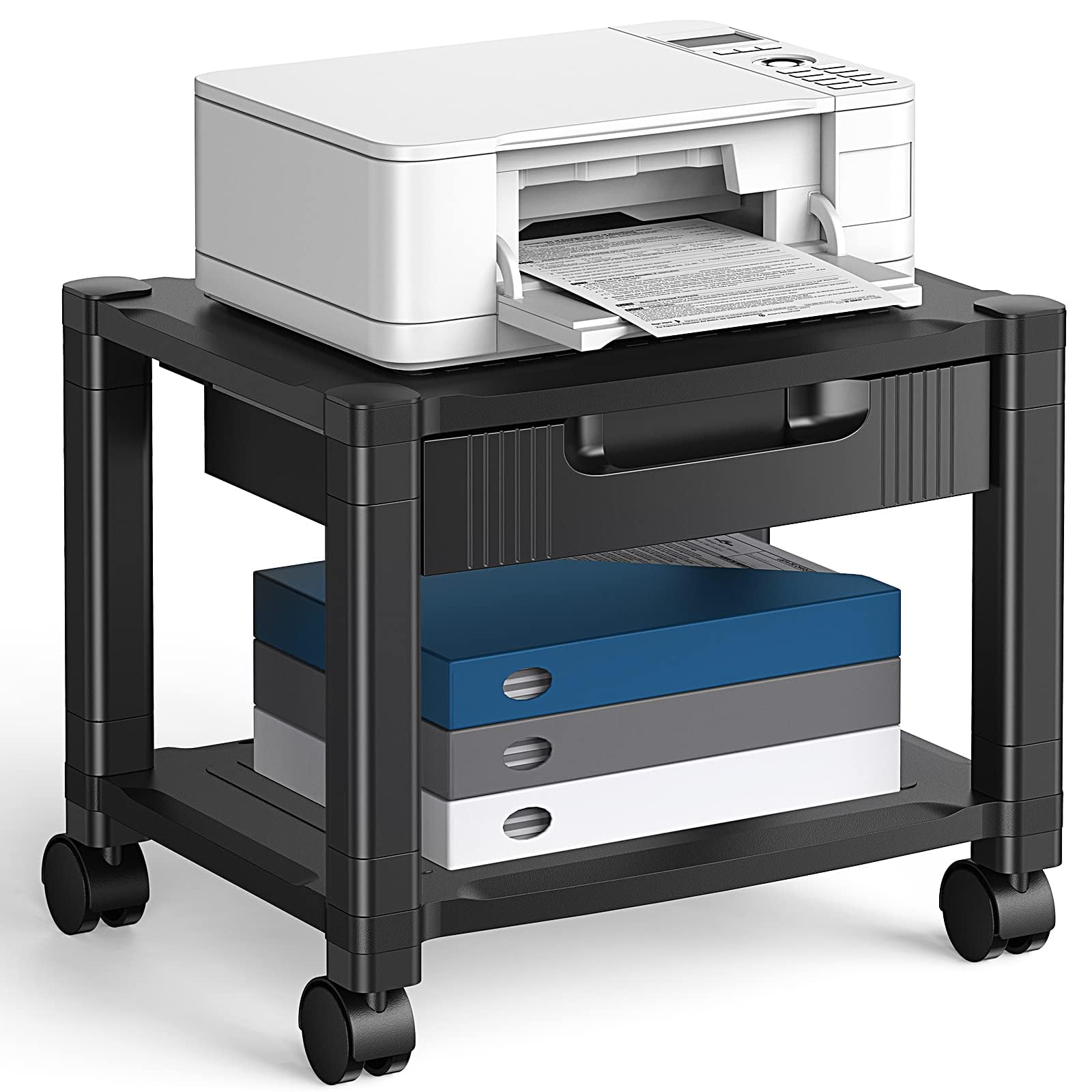
Best with Drawer & Cable Management

Runner-Up

Runner-Up

8.9/10 Excellent
  • Height: 14.1 in
  • Storage: Drawer, open shelf
  • Mobility: Locking casters
  • Footprint: —
Check Price on Amazon

Pros

  • Tool-free assembly means you can set it up in minutes without hunting for a screwdriver. — 426 mentions, 96% positive
  • Compact footprint slides under most desks, saving valuable floor space in tight offices. — 175 mentions, 95% positive
  • The built-in drawer with dividers keeps ink and supplies organized and out of sight.

Cons

  • The stand may wobble when holding printers near the 38.5 lb limit, especially during printing. — 288 mentions, 30% negative

The integrated drawer with dividers and under-shelf cable hooks give this stand an edge in organization, keeping ink and cables tidy. The 14.1-inch height slides under most desks, and locking casters make it easy to move. The 38.5 lb weight capacity means it’s best for compact inkjet or small laser printers under 30 lbs; heavier models can introduce wobble. Home office users who value a clutter-free setup and don’t push the weight limit will find it a logical alternative to higher-capacity carts that lack onboard storage.

💡 💡 Tip: Add a non-slip mat to the top shelf to prevent the printer from sliding during use.

Bottom Line: For compact home offices needing organized storage, this stand’s drawer and cable management make it a practical choice, provided your printer stays under 30 lbs.
#3

Best for Large/Heavy Printers

Fannova Large 3-Tier Printer Stand

Fannova Large 3-Tier Printer Stand

9.4/10 Outstanding
  • Height: 30 in
  • Storage: 3 shelves, adj. middle
  • Mobility: Locking casters, adj. feet
  • Footprint: 23.6x18.9 in
Check Price on Amazon

Pros

  • Steel-under-shelf bracing handles 100 lbs per tier without bowing — 112 mentions, 91% positive on sturdiness
  • Tool-free assembly with numbered parts and clear instructions speeds setup — 102 mentions, 92% positive
  • Height-adjustable middle shelf with 5 positions fits multiple device heights — Consistently praised in top reviews

Cons

  • Plastic caster sockets can feel less robust than the steel frame — Mentioned in some reviews; not a functional failure but a perceived weak link

The 23.6-inch top deck is the differentiator — it fully supports large laser and wide-format printers that overhang smaller carts. Steel-under-shelf bracing keeps 100 lbs per tier steady, and the lockable industrial casters roll smoothly even when loaded.

This is built for heavy equipment in home offices where full printer support and stability matter more than compact storage. Plastic caster sockets feel less robust than the steel frame, but they function without issue under normal loads — just don't expect them to survive heavy abuse. Use the included adjustable feet on thick carpet if that concern gives you pause.

💡 💡 Tip: Swap the casters for the included adjustable feet on thick carpet for steadier positioning.

Bottom Line: If a 19-inch-wide stand leaves your printer teetering, the Fannova's extra width and 100-lb per shelf capacity are the answer. Those prioritizing under-desk slide-away storage should look at the top pick.
#4

Best Tech-Integrated Stand

HOOBRO BF22UPS01 Printer Stand

HOOBRO BF22UPS01 Printer Stand

8.8/10 Excellent
  • Height: 25.2 in
  • Storage: 3 mesh shelves
  • Mobility: Locking casters, adj. feet
  • Footprint: 16.5x11 in
Check Price on Amazon

Pros

  • Built-in charging station with 2 USB ports and an AC outlet reduces cord clutter — 26 mentions, 96% positive
  • Compact 16.5x11-inch footprint fits tight corners and small desks — 20 mentions, 100% positive on compactness
  • Simple assembly and decent stability for its size — 71 mentions, 90% positive on assembly; 64 mentions on stability (77% positive)

Cons

No notable drawbacks to flag.

HOOBRO's stand sets itself apart by integrating 2 USB ports and an AC outlet directly into the frame, keeping phones and tablets charged without extra cords snaking across the desk. That power feature is absent on many other small printer stands, including the rustic industrial cart that shares a similar footprint. The trade-off is the top shelf: at just 16.5x11 inches, it only accepts very compact inkjet models—full-size printers will hang off or not fit at all. This stand makes sense as a secondary station in a craft room or for anyone with a tiny printer who wants charging convenience right at the print area.

💡 💡 Tip: The mesh shelves have a 17-lb limit each; plan to store light accessories like cables or ink cartridges rather than paper reams or heavy supplies.

Bottom Line: If your printer fits and you value the built-in charging, this stand frees up desk space; just know that it can't serve as a primary stand for anything larger than a compact inkjet.
#6

Best Adjustable 3-Tier for Multi-Device Setups

Fannova 3-Tier Adjustable Stand

Fannova 3-Tier Adjustable Stand

9.2/10 Outstanding
  • Height: 31.6 in
  • Storage: 3 shelves, adj. middle
  • Mobility: Locking casters, adj. feet
  • Footprint: 21.65x15.75 in
Check Price on Amazon

Pros

  • Assembly is straightforward with well-labeled parts — 73 mentions, 97% positive
  • Sturdy frame holds two printers without wobble — 65 mentions, 95% positive
  • Middle shelf adjusts to five heights for custom storage layouts — frequently praised in top reviews

Cons

  • Casters can drag on thick carpet; switching to included foot pads may be needed for level stability — isolated mobility complaints, but alternative foot pads included

Unlike standard three-tier carts, the middle shelf adjusts to five heights, letting you configure space for two printers, a printer and a paper stack, or tall supply bins. The particleboard finish is sleek and resists scuffs.

It is built for home offices needing flexible, high-capacity storage. The casters roll smoothly on hard floors, but on thick carpet they can feel stiff; the included adjustable foot pads provide a stable, level alternative.

💡 💡 Tip: On thick carpet, swap the casters for the included foot pads for a wobble-free setup.

Bottom Line: For offices that need to accommodate two printers or bulky supplies, this stand's adjustable shelf and sturdy build justify the premium cost—just plan on using the foot pads if you have thick carpet.
#7

Heavy steel cart

Safco 5207BL 3-Tier Cart

Safco 5207BL 3-Tier Cart

9.2/10 Outstanding
  • Height: 27 in
  • Storage: 3 shelves, 2 adj.
  • Mobility: Locking casters
  • Footprint: 20x24 in
Check Price on Amazon

Pros

  • Holds two Cricut machines or a large multi-function printer without wobble — 408 mentions, 95% positive
  • Assembles quickly without tools thanks to clear instructions — 325 mentions, 94% positive

Cons

  • Casters may fail under heavy loads on rough surfaces, making the cart stationary — Isolated reports, but if lost, cart becomes stationary

The powder-coated steel frame holds up to 200 lbs across three shelves, making it suitable for large multi-function printers or stacked craft machines. The particleboard top can arrive chipped or chip with use, so it demands a careful unboxing and periodic inspection.

Bottom Line: Heavy-duty steel frame suits offices and craft rooms that need to move large equipment; order with the understanding that you'll inspect the particleboard top on arrival.
#8

Wide top, drawer

YAOHUOO 01 2-Tier Printer Stand

YAOHUOO 01 2-Tier Printer Stand

8.8/10 Excellent
  • Height: 15.75 in
  • Storage: Fabric drawer, open shelf
  • Mobility: Locking casters, adj. feet
  • Footprint: 22x15 in
Check Price on Amazon

Pros

  • Fits wide-format printers better than typical 17-inch stands — 51 mentions, 92% positive on fit
  • Quick assembly, often under 15 minutes — 127 mentions, 93% positive

Cons

  • Fabric drawer sags over time and can't hold heavy supplies — Mentioned in reviews as a weak point

The 22-inch wide top fits larger printers better than many budget alternatives, and the assembly is often finished in under 15 minutes. The rustic wood-look finish and fabric drawer add visual appeal, though the drawer is best for lightweight supplies only. On some units, stability under printing motion may be less consistent than the 88 lb rating suggests, particularly on carpet or uneven floors.

Bottom Line: A sensible choice if you need an extra-wide stand on a tight budget and can accept a fabric drawer and potential wobble on uneven surfaces.
#9

Stylish light use

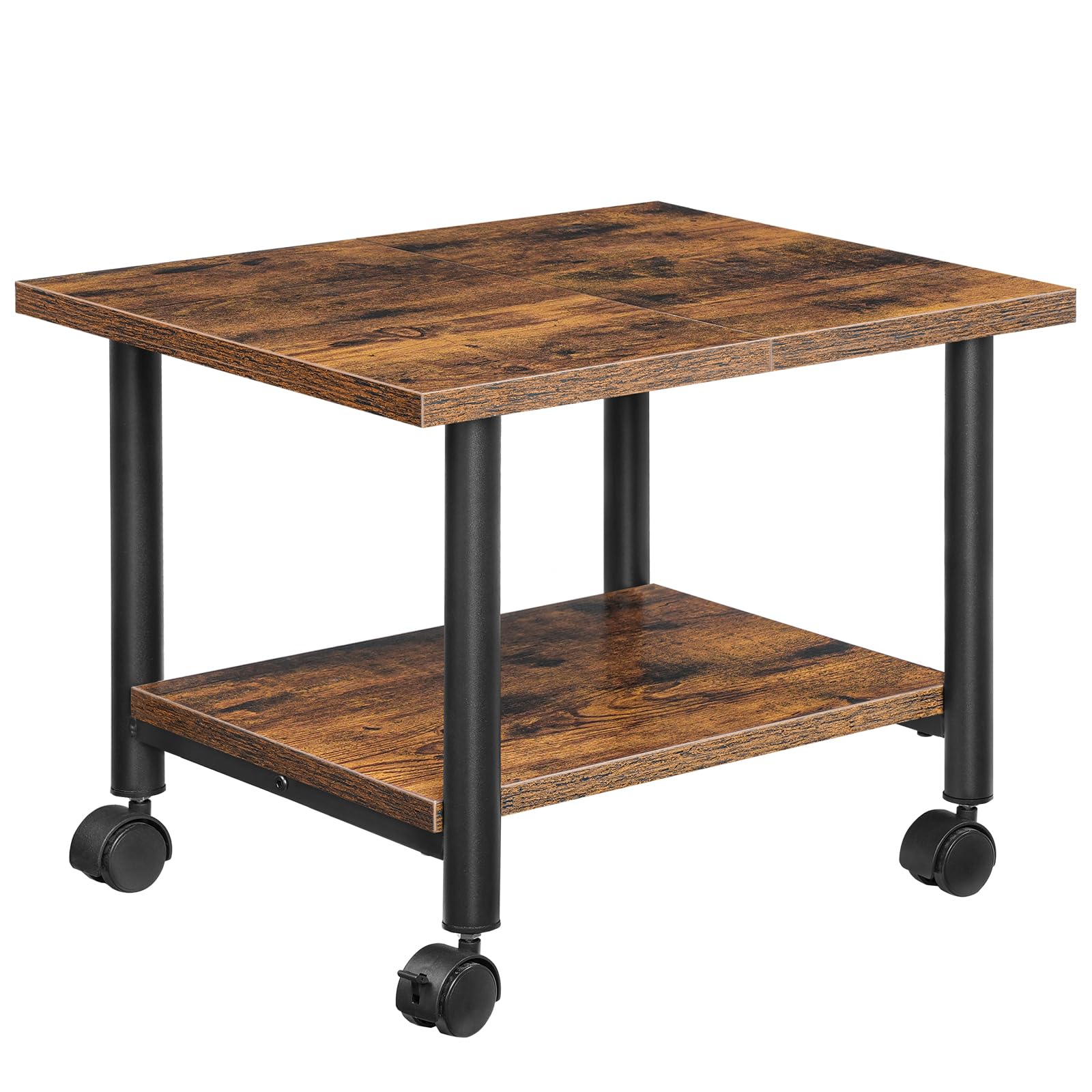
HOOBRO BF02PS01G1 2-Tier Cart

HOOBRO BF02PS01G1 2-Tier Cart

8.9/10 Excellent
  • Height: 14.4 in
  • Storage: 2 open shelves
  • Mobility: 2 lockable wheels
  • Footprint: 19.1x15.7 in
Check Price on Amazon

Pros

  • Assembles quickly with basic tools — 127 mentions, 95% positive
  • Industrial rustic brown finish complements wood and metal desks — 66 mentions, 91% positive

Cons

  • Top shelf can rock or vibrate noticeably while printing; casters may not lock fully, allowing drift on hard floors — 124 mentions, 27% negative on sturdiness; 34 mentions, 32% negative on mobility

The brown-and-black industrial look fits many home offices, and assembly is straightforward. However, the cart's stability can waver during print jobs, and the casters may resist locking, so it works best where it will remain stationary and handle only infrequent printing.

Bottom Line: A stylish cart for a rarely moved printer that accepts some wobble in exchange for an easy assembly and industrial look.
#10

Desktop paper organizer

EMERIT ST17C217 Printer Riser

EMERIT ST17C217 Printer Riser

8.9/10 Excellent
  • Height: 8.26 in
  • Storage: Open compartments
  • Mobility: Non-mobile
  • Footprint: 18.5x14.5 in
Check Price on Amazon

Pros

  • Assembly takes roughly 5 minutes with no tools required. — 240 mentions, 90% positive
  • Dual-layer storage keeps paper and ink neatly organized under the printer. — 88 mentions, 99% positive on storage capacity

Cons

  • Build quality can be inconsistent, with occasional flimsy feel or damaged edges. — 166 mentions, 31% negative — mixed satisfaction with durability

This stand tucks paper and ink into its dual-layer design beneath a small desktop printer, reclaiming work surface. Assembly is quick and tool-free. However, the 14.5-inch width will not accommodate standard letter trays or wider inkjet models, so it suits only compact printers.

Bottom Line: If your printer is under 14 inches wide and you need a tidy organizer, this riser works well at a budget price; just check for edge nicks on arrival.
#11

Retro small printers

VEDECASA VEV2T Desktop Stand

VEDECASA VEV2T Desktop Stand

9.2/10 Outstanding
  • Height: 11 in
  • Storage: 2 open shelves
  • Mobility: Optional casters
  • Footprint: 17.3x11 in
Check Price on Amazon

Pros

  • Very easy to assemble with included tools — Assembly is considered straightforward with the provided hex key.
  • Appealing retro wood look with sturdy V-shaped structure — The dark grey wood and V-shaped iron frame get consistent positive remarks for style.

Cons

  • Top surface depth of 11 inches fits only compact printers; standard all-in-ones won't fit

VEDECASA’s V-shaped shelf assembles quickly and adds a rustic accent to cramped desks. Lockable casters and a lower shelf boost utility, but the 11-inch-deep top fits only compact printers — label makers, small photo printers, or the slimmest inkjets. Standard all-in-ones simply won't fit.

Bottom Line: If you need a decorative perch for a label maker or ultra-compact photo printer, this sturdy V-shaped shelf suits small craft spaces perfectly — measure your printer’s depth before ordering.
#12

Decorative side table

Lerliuo 3-Tier Side Table

Lerliuo 3-Tier Side Table

9.0/10 Outstanding
  • Height: 25.59 in
  • Storage: Fabric drawer, 2 shelves
  • Mobility: Non-mobile, adj. feet
  • Footprint: 15.75x11.81 in
Check Price on Amazon

Pros

  • Assembly is frustrating-free with labeled parts and clear instructions. — Labeled parts and clear instructions.
  • The clean white design and iron frame blend easily into living rooms or bedrooms. — Sleek white finish and corrosion-resistant iron frame.

Cons

  • The fabric drawer and narrow top can only accommodate very light items and the smallest printers.

This three-tier stand assembles quickly and adds a clean, modern accent to any room. The fabric drawer and shallow 11.8-inch top hold only the smallest printers and light supplies. As a stylish end table that occasionally supports a compact printer, it delivers good value — it’s not built for standard office machines.

Bottom Line: This fits a dorm corner or bedroom where a tiny printer and a few supplies need a tidy home — it’s not a heavy-duty office solution.
#13

Tiny under-desk cart

VEDECASA 0023 Under Desk Stand

VEDECASA 0023 Under Desk Stand

9.0/10 Outstanding
  • Height: 11.02 in
  • Storage: 2 shelves, side bag
  • Mobility: Locking casters, adj. feet
  • Footprint: 17.32x11.02 in
Check Price on Amazon

Pros

  • Snaps together in under 10 minutes with minimal hardware — 38 mentions, 95% positive
  • Tucks under low desks, with a fabric side pocket for supplies — 24 mentions, 96% positive on space-saving

Cons

  • Top shelf fits only micro printers under 11 inches deep – mid-size inkjets won't work — 30 mentions on size, 23% negative

Effortless assembly and a footprint that glides under low-sitting desks make this cart a space-saver. The fabric side pocket holds loose papers or a few supplies. The top surface measures only 17.3 by 11 inches, limiting compatibility to compact inkjets and label printers – standard printers won't fit. Dorm rooms and tiny apartments with micro printers benefit the most from this design.

Bottom Line: Ideal for label printers, compact inkjets, and 3D printers that measure under 11 inches deep, in rooms where under-desk clearance is tight.
#14

Adjustable mid-range

Arbuxzuy 001 3-Tier Stand

Arbuxzuy 001 3-Tier Stand

9.0/10 Outstanding
  • Height: 31.5 in
  • Storage: 3 shelves, adj. middle
  • Mobility: Locking casters, adj. feet
  • Footprint: 19.7x15.7 in
Check Price on Amazon

Pros

  • Holds two medium inkjet printers or a printer/scanner combo without strain
  • Clear instructions make assembly quick

Cons

  • Can wobble during active printing, particularly when top shelf carries a heavy printer

The adjustable middle shelf and steel frame let you configure the cart for two medium inkjets or a printer and scanner. Assembly is quick, and the cart can double as a bookcase or microwave stand. However, the stand can wobble during active printing, especially when the top shelf carries a heavy load. This makes it a poor fit for heavy laser printers or users sensitive to any movement.

Bottom Line: A fit for users who need an adjustable middle shelf and steel build for two medium inkjets and can accept some movement during printing.

How to Choose

Top Shelf Weight Capacity

Capacity figures come from static load tests, not the dynamic shaking of a printing cycle. A heavy printer that overhangs the edges creates a lever effect that amplifies vibration. Look for steel under-shelf supports and center bracing that resist twisting, not just a high lbs number.

Particleboard tops can sag over time, even without visible cracks. If your printer exceeds 30 lbs, choose a stand with a metal-reinforced shelf or a rated capacity at least 50% above your printer's weight to allow for printing motion.

Under-Desk Height

Standard desk clearance from floor to underside is around 27-29 inches, but many desks have a support apron that reduces usable vertical space. Measure from the floor to the lowest obstruction, then subtract at least one inch to allow a rolling cart to slide in and out freely.

A stand that's too tall forces you to leave it out from under the desk, wasting floor space. Conversely, a very low cart (under 12 inches) may not accommodate a printer's paper output tray, causing paper jams.

Footprint (Width & Depth)

A stand's top must fully support your printer's base. Overhang shifts the center of gravity, making the printer prone to tipping or wobble, especially during paper feed. Measure your printer's depth including paper trays and rear connections, not just its footprint without paper inserted.

Stands narrower than 15 inches deep typically only suit compact inkjets. For all-in-one or laser printers, aim for a top shelf at least 17 inches deep and wide enough to keep the unit centered.

Storage Configuration

Open shelves keep supplies visible and accessible, but they don't hide clutter. Drawers are great for storing ink cartridges and cables out of sight, but fabric drawers can sag and won't hold heavy objects. A hybrid design with one open shelf for paper and a drawer for small items often works best.

For limited under-desk space, a desktop riser with a compartment for paper underneath frees up floor space entirely.

Mobility: Locking Wheels vs. Feet

Locking casters let you roll the stand out for maintenance, but even locked wheels can develop play, especially on carpet. Adjustable feet eliminate any rolling and let you level the stand, making them ideal for heavy printers that stay in one spot.

If you must move the printer frequently, choose casters with a brake that locks both the wheel and its swivel. Otherwise, fixed feet with anti-slip pads deliver the most stable printing experience.

Frequently Asked Questions