Home Office

13 Best L Shaped Desk of 2026: Desks That Won't Wobble or Cramp

Which L-shaped desks are deep enough for comfortable monitor use and sturdy enough to hold your gear—without wobbling or cracking under pressure.

Many L-shaped desks look roomy online but arrive with a surprisingly shallow work surface—barely 17 or 18 inches deep. That means your monitor sits uncomfortably close and leaves minimal space for a keyboard or paperwork.

A desk's long-term durability doesn't come from its surface material alone. The real stability lives in its frame design, weight capacity, and the quality of its hardware and assembly instructions. Models with low weight limits can start wobbling under the strain of multiple monitors or heavy printers, even when the desktop looks thick.

We've sorted through the noisy claims about 'commercial grade' build and endless storage extras to spotlight the desks that deliver on depth, stability, and everyday usability. You'll finish with a clear picture of what you need—whether that's a rock-solid corner workstation or a compact desk with the right kind of storage.

#1

Best Overall

FATORRI Industrial L-Desk 59"

FATORRI Industrial L-Desk 59"

9.4/10 Outstanding
  • Desktop Depth: —
  • Weight Capacity: 400 lbs
  • Overall Footprint: 59 x 55 in
  • Assembly Complexity: Easy
Check Price on Amazon

Pros

  • Stays wobble-free even under dual monitors and a heavy tower — 170 mentions, 95% positive
  • Rustic oak finish and metal frame give a high-end, room-anchoring look — 130 mentions, 100% positive
  • Assembly is fast and frustration-free with labeled parts and clear diagrams — 171 mentions, 96% positive

Cons

No notable drawbacks to flag.

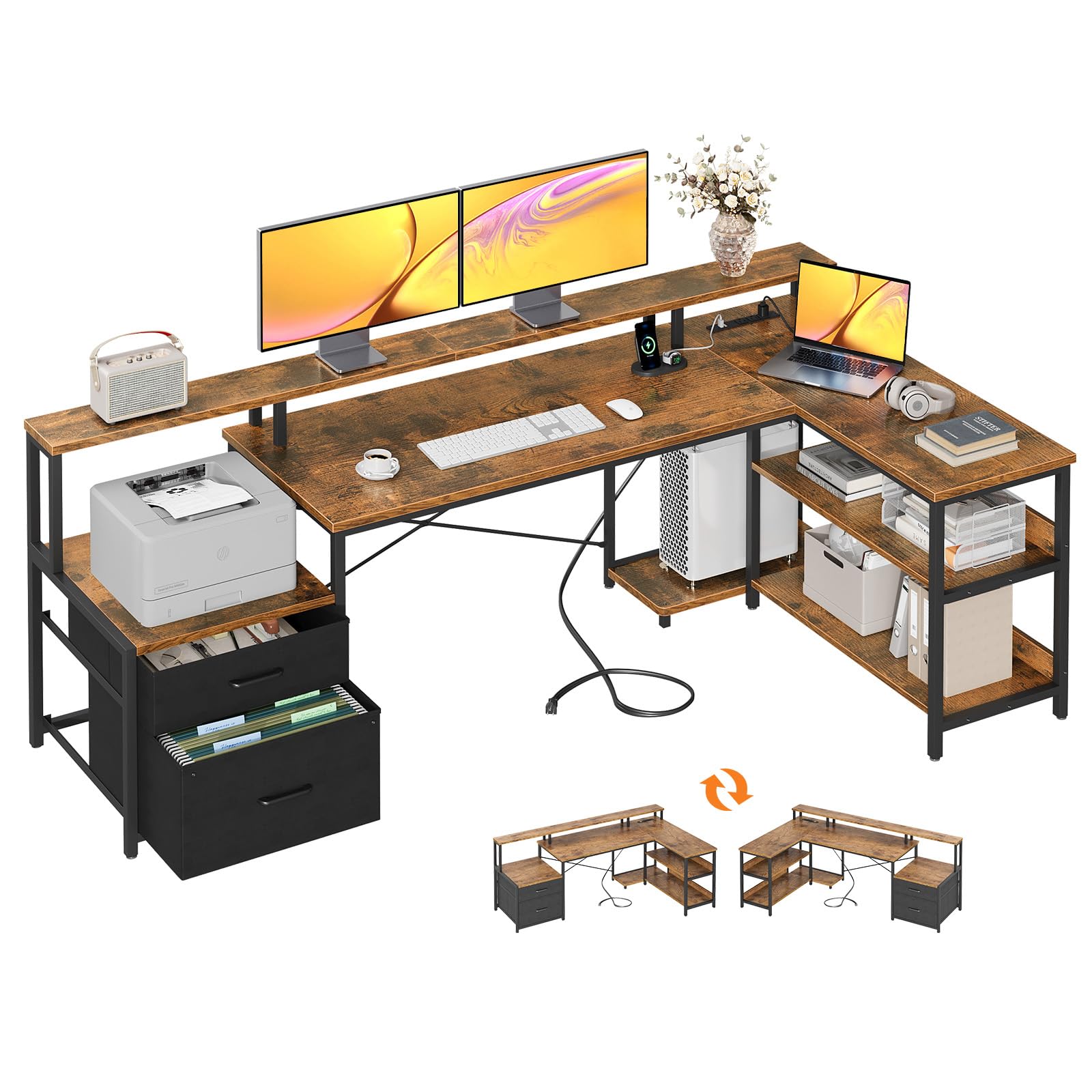
The FATORRI blends industrial aesthetics with functional heft: a 1.18-inch thick MDF top and heavy-duty metal frame deliver a no-flex surface. The rustic oak finish and dark metal legs create a statement piece, while the reversible L shape and two-tier shelving adapt to any corner. You get a wide 59-inch primary desk and a 55-inch return — enough for dual monitors and still room to spread out.

Under the daily load of two large monitors, a printer, and a tower, the desk stays completely wobble-free — the 400-pound capacity far exceeds what most setups demand. Assembly benefits from clearly labeled parts and diagrams; it's common to go from box to ready in under an hour.

This desk is for the home office or creative space where furniture-quality build and long-term durability outweigh integrated tech. It has no built-in power, USB, or LED, so you'll need to manage your own cable and charging solutions — a straightforward fix with a clamp-on strip. If on-desk outlets are essential, a lighter mid-range desk with built-in charging offers those, but it won't match this surface thickness or weight tolerance.

💡 💡 Tip: Add a clamp-on power strip and USB hub to the desk frame to easily cover the lack of built-in outlets.

Bottom Line: For a workspace where unwavering stability and furniture-style presence matter most, this desk is a sound long-term investment — just plan to supply your own power and USB routing.
#2

Large Workhorse

Teraves 69" Reversible L Desk

Teraves 69" Reversible L Desk

9.3/10 Outstanding
  • Desktop Depth: 22 in
  • Weight Capacity: 450 lbs
  • Overall Footprint: 69 x 53 in
  • Assembly Complexity: Time-consuming
Check Price on Amazon

Pros

  • Outstanding stability even under heavy loads of 450 lbs — 257 mentions, 92% positive
  • Expansive 69-inch L-shaped surface with ample legroom — 122 mentions on space, 96% positive
  • Modern appearance that blends into home offices and gaming setups — 191 mentions, 99% positive

Cons

  • Picture-only instructions can make assembly time-consuming — 310 mentions, 32% negative — many found it tedious

The Teraves desk maximizes usable space: its 69-inch wide L-shaped top holds multiple monitors and heavy equipment without wobbling, backed by a 450-pound weight capacity. Unlike the industrial-grade top pick, it includes two-tier open shelves for storage and a reversible layout, but the assembly process relies solely on pictures — no written steps.

Best for home office users with multiple monitors, a PC tower, and gear that demands a sturdy surface. The open shelves keep essentials within reach without a full hutch. If you dread picture-only instructions or need built-in power, the assembly may frustrate, but those with patience and a partner will get a rock-solid desk at a mid-range price.

💡 💡 Tip: Set aside 2–3 hours and enlist a second person — the picture-only manual rewards methodical work.

Bottom Line: If you need maximum desktop real estate and don't mind an afternoon of assembly, this desk delivers outstanding stability and storage for the price.
#3

Storage Powerhouse

ODK 75" L-Desk File Storage

ODK 75" L-Desk File Storage

9.0/10 Outstanding
  • Desktop Depth: —
  • Weight Capacity: —
  • Overall Footprint: 75 x 39 in
  • Assembly Complexity: Time-consuming
Check Price on Amazon

Pros

  • Vast surface with filing drawers and printer cabinet for organized home office. — 61 mentions on space, 82% positive
  • Heavy-duty frame feels rock-solid even when loaded with equipment. — 120 mentions on sturdiness, 87% positive
  • Vintage wood finish adds professional character to any room. — 100 mentions on appearance, 97% positive

Cons

  • Monitor shelf may be undersized for dual large screens — measure your monitors first. — Mentioned by a few reviewers — check dimensions if using large monitors
  • Assembly is a multi-hour undertaking with many pieces — the included manual is helpful, but the process remains demanding. — 174 mentions on assembly, 20% negative — some found it overly complex

Unlike desks that emphasize gaming flair or minimal footprints, this L-shaped workstation anchors a home office with real file drawers, a printer cabinet, and open shelving. The built-in power outlet and USB ports keep your desktop clutter-free, while the vintage wood finish adds a professional look.

This is for remote workers who need physical filing, paper storage, and a sturdy, spacious surface — not those wanting a quick setup. The monitor shelf works for single or smaller dual screens, but check dimensions if you run two 27-inch displays. Clear instructions make the extensive build manageable, though you should plan for an afternoon or more.

💡 💡 Tip: Set aside a full afternoon and consider a cordless screwdriver to speed up the many fasteners.

Bottom Line: If your home office needs paper filing, printer storage, and a large work surface, this desk delivers — just budget a Saturday for the build.
#4

Best No-Frills Corner Desk

SHW Mission 55 x 60 Inches L-Shape Home Office Computer Desk, White

SHW Mission 55 x 60 Inches L-Shape Home Office Computer Desk, White

9.2/10 Outstanding
  • Desktop Depth: 23.8 in
  • Weight Capacity: —
  • Overall Footprint: 55 x 60 in
  • Assembly Complexity: Easy
Check Price on Amazon

Pros

  • Exceptionally easy to assemble, even for one person — 2393 mentions, 94% positive
  • Solid stability for a mid-range desk, with no wobbling under dual monitors — 1469 mentions, 84% positive
  • Massive 55x60-inch surface fits two monitors, a laptop, and accessories with room to spare — 646 mentions, 84% positive

Cons

  • No drawers, shelves, or integrated cable management — the desk is a completely open surface

The SHW Mission opens a corner with a huge 55x60-inch surface, easily supporting dual monitors and accessories without the clutter of built-in drawers or power. Assembly is remarkably quick — clear instructions and labeled parts get you set up in under an hour, a welcome break from multi-hour projects common in this price range.

The steel frame and thick top remain steady under multiple screens, but the trade-off is a blank slate: there are no shelves, cable channels, or charging ports. This desk works best for those who just want an expansive, wobble-free surface and don't need integrated storage or cable management.

💡 💡 Tip: Use adhesive cable clips or a clamp-on under-desk tray to manage cords on this bare surface.

Bottom Line: For a large, stable corner workspace that’s easy on your budget and assembly time, this desk fits the bill — just plan on adding your own storage and cable solutions.
#5

Gamer's Starter L-Desk

AODK 53-inch L-Shape LED Desk

AODK 53-inch L-Shape LED Desk

9.0/10 Outstanding
  • Desktop Depth: 18.9 in
  • Weight Capacity: —
  • Overall Footprint: 53 x 53 in
  • Assembly Complexity: Easy
Check Price on Amazon

Pros

  • Integrated LED strip and built-in power outlets add convenience and ambiance — 54 mentions, 76% positive
  • Frame feels sturdy for its price, supporting typical PC and monitor setups — 145 mentions, 93% positive
  • Clear instructions with labeled parts make assembly straightforward — 236 mentions, 83% positive

Cons

  • Shallow 18.9-inch depth may force larger monitors uncomfortably close — 100 mentions on size, 45% negative

This AODK desk brings integrated RGB lighting and dual power outlets to a corner L-shape at a budget-friendly price, something the cleaner office-focused alternative lacks. It suits gamers and home office users with compact spaces who want a sleek, illuminated setup and built-in charging for devices. The 18.9-inch desktop depth, however, means larger monitors sit close to your face, making it less comfortable for screens above 24 inches.

💡 💡 Tip: When assembling, keep screws slightly loose until all panels are aligned, then tighten fully to avoid frustration from misaligned holes.

Bottom Line: If your setup uses a monitor 24 inches or smaller and you want built-in charging and RGB lighting without overspending, this desk fits well. For larger screens or deeper workspace, the top pick offers significantly more surface area.
#6

Feature-Rich Organizer

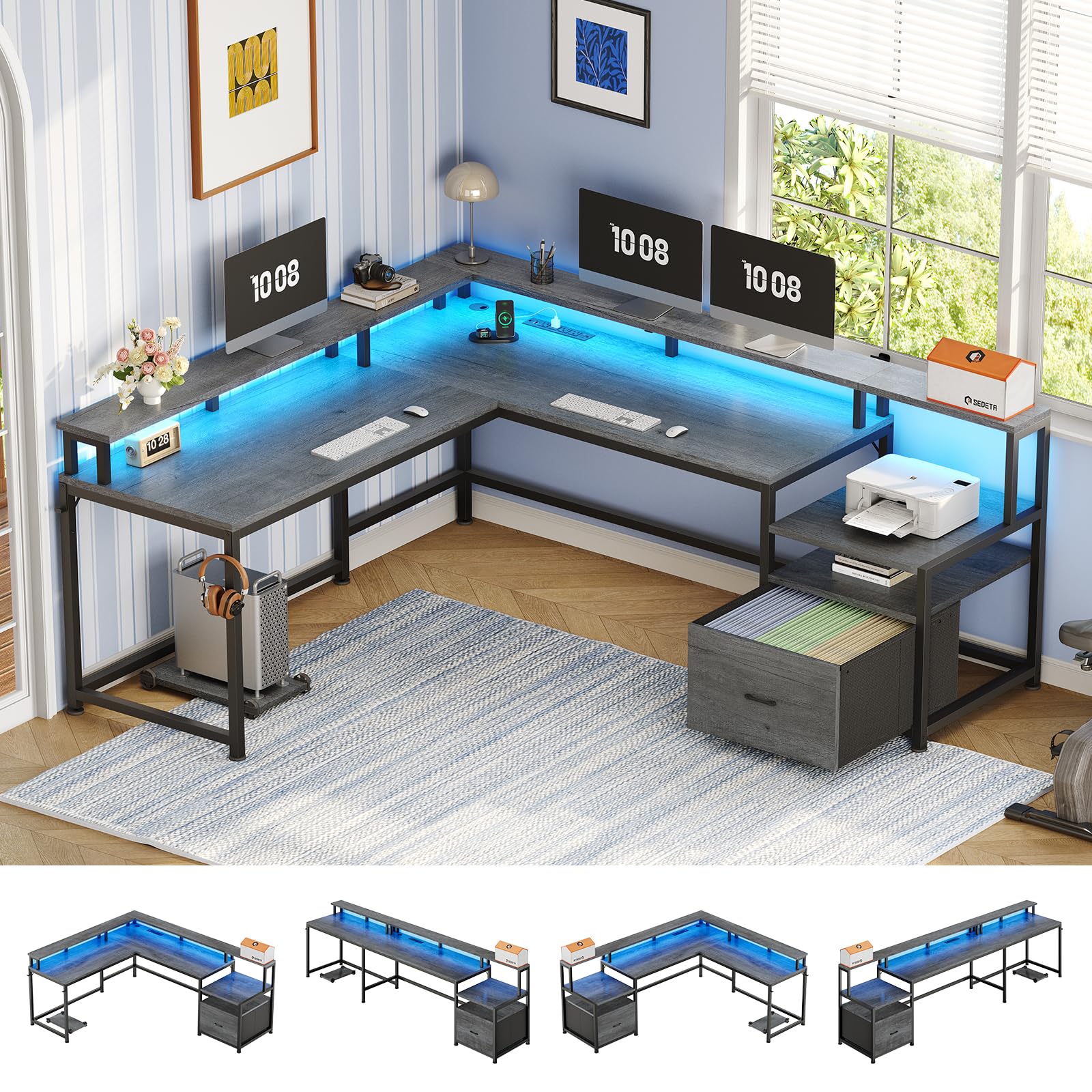
SEDETA 66-inch L-Desk File LED

SEDETA 66-inch L-Desk File LED

8.9/10 Excellent
  • Desktop Depth: —
  • Weight Capacity: 300 lbs
  • Overall Footprint: 67 x 48 in
  • Assembly Complexity: Time-consuming
Check Price on Amazon

Pros

  • File drawer, printer cabinet, and open shelves eliminate extra furniture. — Mentioned heavily as a key selling point
  • Stable under load with 300-lb capacity for multiple monitors and a tower. — 265 mentions, 85% positive
  • RGB lights and 4 outlets + 2 USB ports charge devices and add ambiance. — Functionality mentions: 151, 83% positive

Cons

  • Actual desk dimensions may run slightly smaller than listed, so measure your space carefully. — 170 mentions, 39% negative
  • Assembly is a multi-hour commitment with mediocre instructions that require patience. — 482 mentions, 43% negative

This SEDETA desk bundles a file drawer, printer cabinet, RGB lighting, and four power outlets into an L-shaped workstation that supports 300 lbs. Unlike the top pick's heavy-duty minimalist frame, this model aims to replace a filing cabinet, printer stand, and charging strip in one footprint. The metal frame and MDF top hold steady under dual monitors and a desktop tower.

The desk suits a home office or gaming setup that needs serious integrated storage and cable management. The trade-off: assembly can stretch into a 3–4 hour project with lackluster instructions. Buyers comfortable with that will end up with a feature-packed corner desk that declutters the entire workspace.

💡 💡 Tip: Set aside a full afternoon and keep a power drill handy — the instructions may skip a few steps.

Bottom Line: For a home office that demands filing, printing, and power access from one piece of furniture, this desk delivers — as long as you set aside an afternoon for the build.
#7

Stylish Space Saver

Tribesigns 55" L-Desk Hutch

Tribesigns 55" L-Desk Hutch

9.2/10 Outstanding
  • Desktop Depth: —
  • Weight Capacity: 100 lbs
  • Overall Footprint: 55 x 37 in
  • Assembly Complexity: Moderate
Check Price on Amazon

Pros

  • Sturdy engineered wood and metal frame feel solid in the L-configuration. — 125 mentions, 98% positive
  • Five open shelves and a movable CPU stand keep supplies and tower within reach but off the desktop.
  • Integrated wireless charging pad powers phones without extra cables or adapters. — Unique feature appreciated in reviews

Cons

  • Assembly booklet may have a few unclear illustrations, requiring patience and careful alignment. — 42 mentions, 50% negative
  • 100-pound total capacity restricts heavy-duty gaming towers and bulky dual-monitor mounts. — Spec states 100 lbs; no widespread complaints but a limitation

This L-desk trades sprawling desktop depth for a five-shelf hutch that towers above the work surface, saving floor space without sacrificing organization. The integrated wireless charging pad strips cord clutter from the corner, and the reversible hutch orientation adapts to your room layout. The 100-pound weight capacity limits heavy gaming rigs and large dual-monitor arms, so it's a better fit for a laptop, a single monitor, and office essentials. For small-room setups, that's a fair trade for vertical storage that otherwise would need a separate bookcase.

💡 💡 Tip: Position the movable CPU stand for a mid-tower case under 100 lbs, then use the hutch shelves for books and accessories to keep the desktop open.

Bottom Line: For anyone whose home office needs vertical organization more than raw weight capacity, this desk delivers a clean, sturdy workspace with the bonus of built-in wireless charging — just keep the gaming tower elsewhere.
#8

Light use

Homall L-Shape Gaming Desk 51"

Homall L-Shape Gaming Desk 51"

9.1/10 Outstanding
  • Desktop Depth: 17 in
  • Weight Capacity: 220 lbs
  • Overall Footprint: 51 x 51 in
  • Assembly Complexity: Easy
Check Price on Amazon

Pros

  • Attractive carbon fiber finish hides its budget price point well. — Carbon fiber texture praised in customer feedback.
  • Sturdy alloy steel frame feels solid for light-duty setups. — Build quality rated highly for an ultra-budget desk.

Cons

  • 17-inch depth feels cramped and places monitors too close for comfortable viewing. — Shallow desktop depth confirmed by spec and user notes.

Carbon fiber texture and Z-shaped legs give this desk an aggressive gaming look without the usual cost. Assembly is quick, and the alloy steel frame feels sturdy for light use. The 17-inch depth crowds monitors close, and the surface can scratch over time. This works for a single-monitor setup where budget and corner placement matter more than long-term durability.

Bottom Line: Best for students or casual gamers with a single monitor in a small room who want the cheapest L-shaped desk with gaming style.
#9

Laptop use

SHW Vista L-Shape 51" Walnut

SHW Vista L-Shape 51" Walnut

9.1/10 Outstanding
  • Desktop Depth: 19 in
  • Weight Capacity: 50 lbs
  • Overall Footprint: 51 x 51 in
  • Assembly Complexity: Easy
Check Price on Amazon

Pros

  • Easy to assemble, with clear instructions and minimal tools needed. — 448 mentions, 91% positive
  • Stylish walnut finish gives a premium look at a budget-friendly price. — 127 mentions, 97% positive

Cons

  • 50-lb weight limit restricts it to laptop use; desktop and dual-monitor setups are out. — 325 mentions on sturdiness, 35% negative — many describe it as wobbly or fragile

The SHW Vista L-Shaped Desk assembles quickly and looks like a more expensive piece with its walnut finish. However, the 50-lb weight limit restricts it to a single laptop and light accessories. Buyers who need a stylish writing desk or laptop station will find it a charming, budget-friendly pick, but it can't support desktop PCs or monitor arrays.

Bottom Line: A desk for laptop-only use where assembly ease and walnut aesthetics take priority over heavy-load stability.
#10

Tight corners

Huuger 47" L-Desk with Drawers

Huuger 47" L-Desk with Drawers

9.0/10 Outstanding
  • Desktop Depth: 17.7 in
  • Weight Capacity: 220 lbs
  • Overall Footprint: 47 x 47 in
  • Assembly Complexity: Easy
Check Price on Amazon

Pros

  • Assembly is straightforward with clearly labeled parts and instructions. — 163 mentions, 85% positive
  • Rustic brown finish provides a cohesive look that complements many rooms. — 66 mentions, 95% positive

Cons

No notable drawbacks to flag.

Built-in outlets and USB-C charging keep a laptop and phone powered without extra adapters, and the three drawers stash pens and notepads. The narrow 17.7-inch depth and small footprint suit a corner for a single laptop, but the workspace can feel tight for a larger monitor and fabric drawers may sag under heavier loads.

Bottom Line: A fitting choice for a dorm room or studio apartment that needs a compact corner desk with charging and drawer storage for a single laptop, as long as heavy paper stacks are kept out of the fabric drawers.
#11

Compact gaming

ODK 53" LED L-Desk

ODK 53" LED L-Desk

9.2/10 Outstanding
  • Desktop Depth: 18.9 in
  • Weight Capacity: —
  • Overall Footprint: 53 x 58 in
  • Assembly Complexity: Easy
Check Price on Amazon

Pros

  • Clear instructions make assembly uncomplicated — 148 mentions, 75% positive
  • Integrated LED strip and power outlets perform as expected without fuss — Built-in features praised in snippets

Cons

  • Alignment imperfections can occur, sometimes requiring re-drilling or forcing parts — 47 mentions, 38% negative — a few had to re-drill or force-fit parts

The ODK 53-inch desk bundles gaming flair — RGB, charging ports, and a hutch — into a footprint that fits small rooms. The 18.9-inch depth keeps the surface shallow; full-size keyboards leave little room for a monitor larger than 24 inches. That tradeoff makes sense if vertical storage matters more than sprawling workspace. Buyers who need deeper desk space will find the home-office storage desk in this set a better fit, with its file drawers and broader surface.

Bottom Line: If you're furnishing a compact gaming nook and can work within an 18.9-inch depth, the built-in power, lighting, and hutch shelves make this a practical, affordable choice.
#12

Office organization

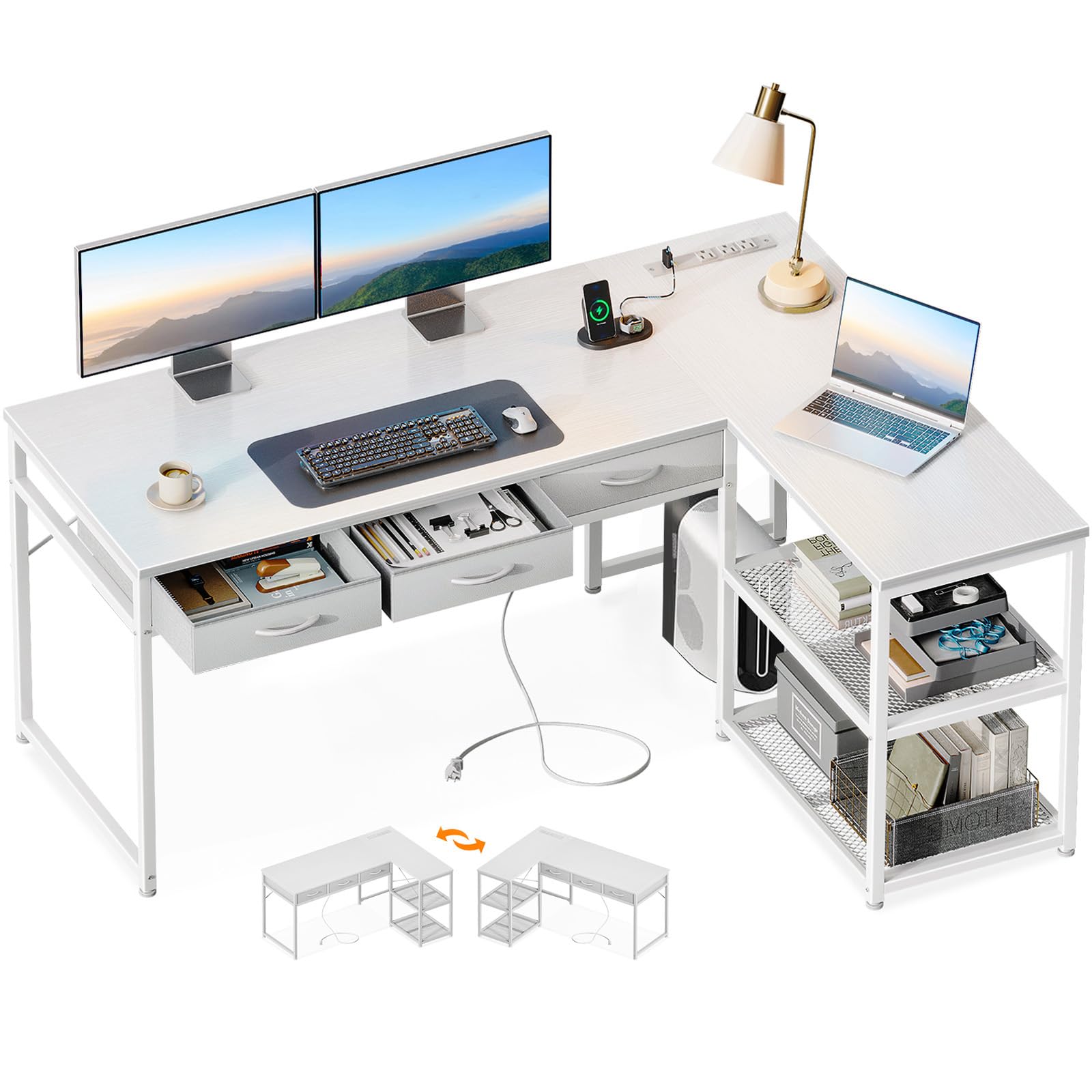
AODK 53" Drawer L-Desk White

AODK 53" Drawer L-Desk White

9.0/10 Outstanding
  • Desktop Depth: —
  • Weight Capacity: 220 lbs
  • Overall Footprint: 53 x 39 in
  • Assembly Complexity: Easy
Check Price on Amazon

Pros

  • Provides stable support for monitors and light equipment at this price. — 125 mentions, 88% positive
  • Ample drawer and shelf storage organizes office supplies without a bulky footprint. — 64 mentions on space, 94% positive

Cons

  • Fabric drawers may sag under heavier items like files or books, as they are collapsible baskets with a wood-look front. — Frequently noted in reviews; drawers are collapsible baskets with facade

Three drawers and two shelves keep supplies in reach, while the built-in power strip and USB ports reduce cord sprawl. The desk supports monitors and light equipment without wobble. Assembly can have occasional alignment quirks, and the fabric drawers may sag under heavier items, so it's better suited for light office storage than for bulky files.

Bottom Line: If your home office needs tidy storage, integrated charging, and a compact white corner desk for light daily tasks, this AODK model fits the bill—provided you keep drawers free of heavy files.
#13

Book collector

SEDETA 58" Bookshelf L-Desk

SEDETA 58" Bookshelf L-Desk

9.2/10 Outstanding
  • Desktop Depth: 21.6 in
  • Weight Capacity: 300 lbs
  • Overall Footprint: 58 x 22 in
  • Assembly Complexity: Time-consuming
Check Price on Amazon

Pros

  • Vertical storage: 7-tier open shelves and a glass cabinet keep books and collectibles within reach but off the workspace. — 82 mentions on space, 98% positive
  • Stable and sturdy, even on carpet, with alloy steel frame supporting 300 lbs. — 118 mentions, 92% positive

Cons

  • Assembly can take hours with many small parts and steps. — 183 mentions, 27% negative

The built-in bookshelf offers strong vertical storage, and adjustable RGB lighting adds personality. The steel frame is stable under load. Assembly is a multi-hour commitment with numerous parts, and the 21.6-inch desktop depth can feel cramped with ultrawide monitors. It suits those prioritizing display space and willing to invest time in setup.

Bottom Line: A solid choice for students, gamers, or collectors who need a tall bookcase integrated into a corner desk and don't mind a lengthy build, as long as their monitor fits within 22 inches of depth.

How to Choose

Desktop Depth: Why Inches Matter

Many budget L-desks come with a depth of just 17 to 19 inches. That forces your screen to sit close to your eyes, leaving barely enough room for a keyboard and mouse. For a 24-inch or larger monitor, aim for at least 22 inches of depth to maintain a natural viewing distance.

If you plan to use a monitor arm or dual screens, 24 inches or more becomes essential. Deeper desks also give you space to spread out paperwork, but they require more floor space. The trade-off is simple: a few extra inches of depth can prevent daily eyestrain and cramped wrists.

Weight Capacity: Don't Trust 'Sturdy' Without Numbers

A desk that looks thick can still wobble or sag under load. The factor that really matters is the weight capacity rating, which tells you how much the frame and top can hold without bending. Desks sold as 'commercial grade' sometimes cap out at 75 lbs—far below what a dual-monitor setup with a printer or gaming tower requires.

For a standard home office with one monitor and a laptop, 100–150 lbs is usually enough. Heavy setups with monitor arms, large printers, or multiple screens should target 200 lbs or more. The extra capacity comes from thicker steel frames and better cross-bracing, which add stability that a simple wooden top can't provide on its own.

Overall Footprint: Fitting the Corner Without Overwhelming the Room

L-shaped desks vary widely in side lengths and return depth. A 75-inch desk gives you a sprawling workspace but demands over six feet of clear wall on one side. In a small room, that can block windows or doors. Conversely, a 47-inch compact L-desk tucks into tight corners but may feel cramped if you need to spread out.

Before ordering, measure both wall segments and note any obstacles like radiators or trim. Leave at least 30 inches of clearance in front of the desk for a chair and walking path. A reversible design helps, but the physical footprint is non-negotiable—so pick the size that fits your room, not just your wish list.

Storage Configuration: Shelves, Drawers, or Open Legroom?

Drawers and shelves add organization but eat into knee space. Fabric drawers are common at lower price points and work fine for lightweight items, but they can sag under heavy files. Real file drawers with metal glides hold up better for long-term use.

A hutch or tall bookshelf adds vertical storage without expanding the desk's footprint, making them ideal for small rooms. If you prefer a clean, open look and have separate filing cabinets, choose a desk with no built-in storage—you'll get more legroom and flexibility for monitor arms that clamp to the edge.

Assembly Complexity: What 'Easy' Actually Means

Most L-shaped desks come flat-packed with dozens of screws and panels. Even when reviews say 'easy,' setting aside one to two hours is realistic. The real difference makers are numbered parts, clear written instructions, and pre-drilled holes that align correctly.

Budget desks sometimes ship with picture-only manuals or misaligned holes, turning a build into a frustrating guessing game. Having a second person to help flip the assembled top prevents cracking the laminate. Before buying, scan user photos of the instruction sheet—if everyone complains about missing steps, expect a long afternoon.

Frequently Asked Questions